

Acer Thunderbolt 4 Dock, 16 in 1 DisplayLink Docking Station 4 Monitor
-
16-in-1 Extensive Connectivity
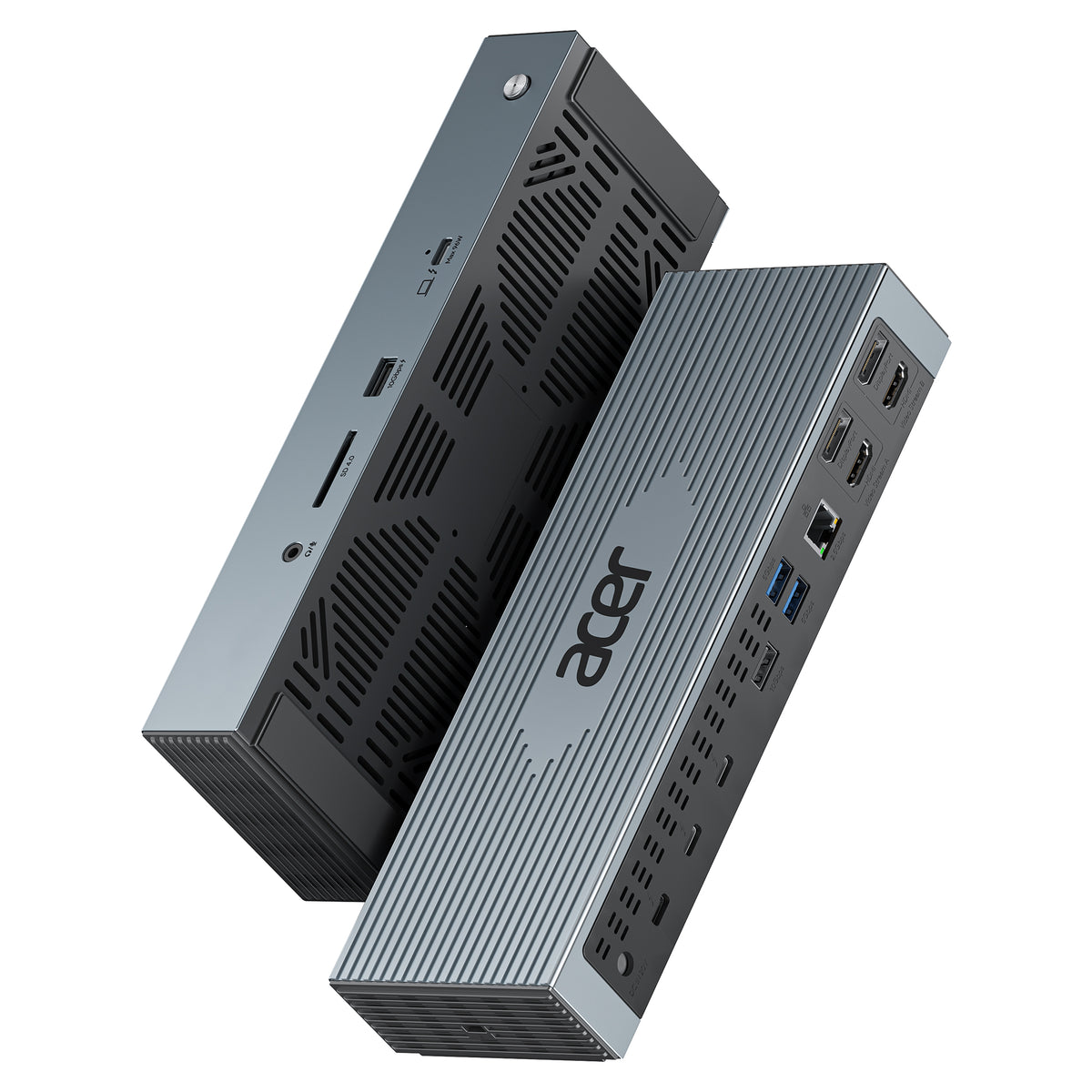
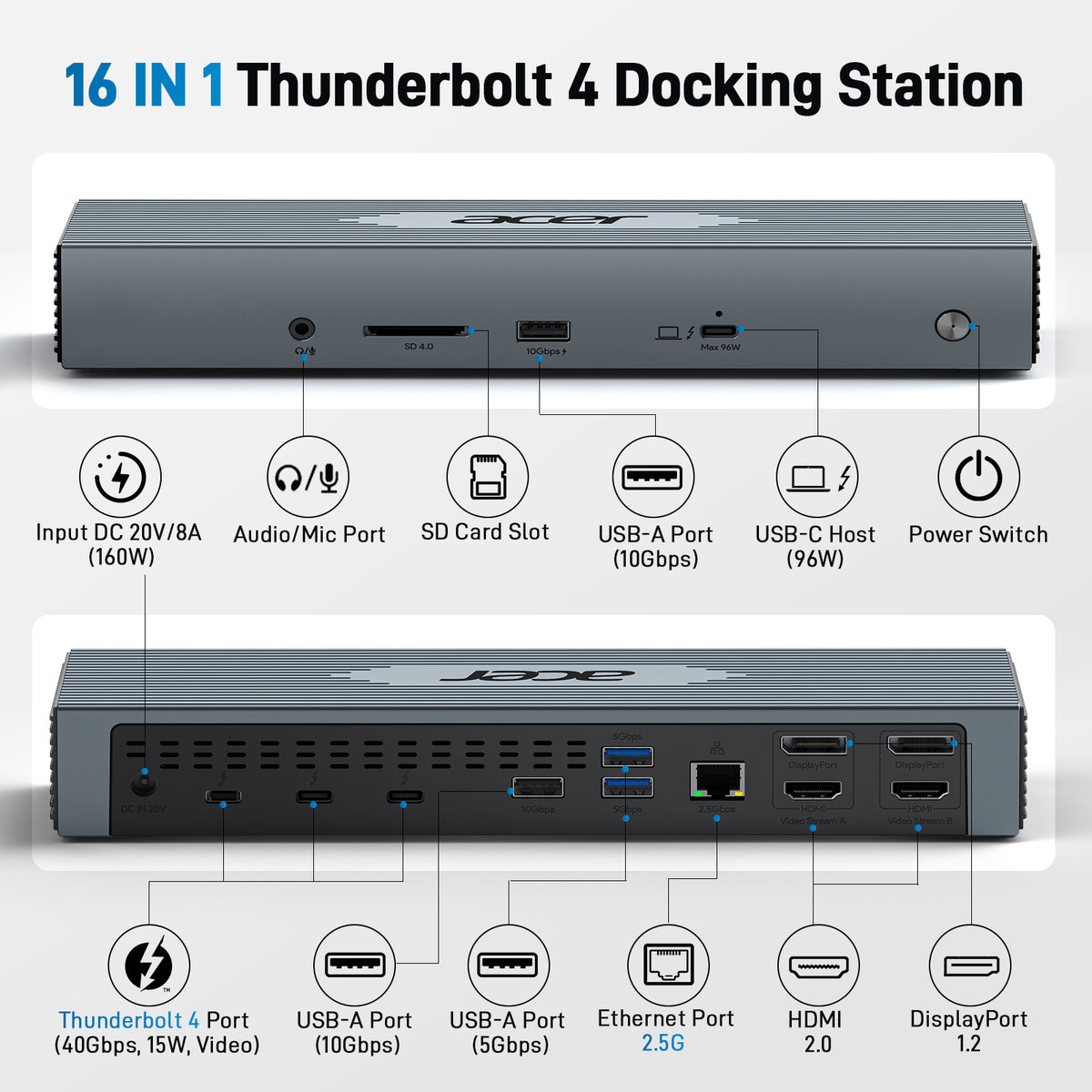
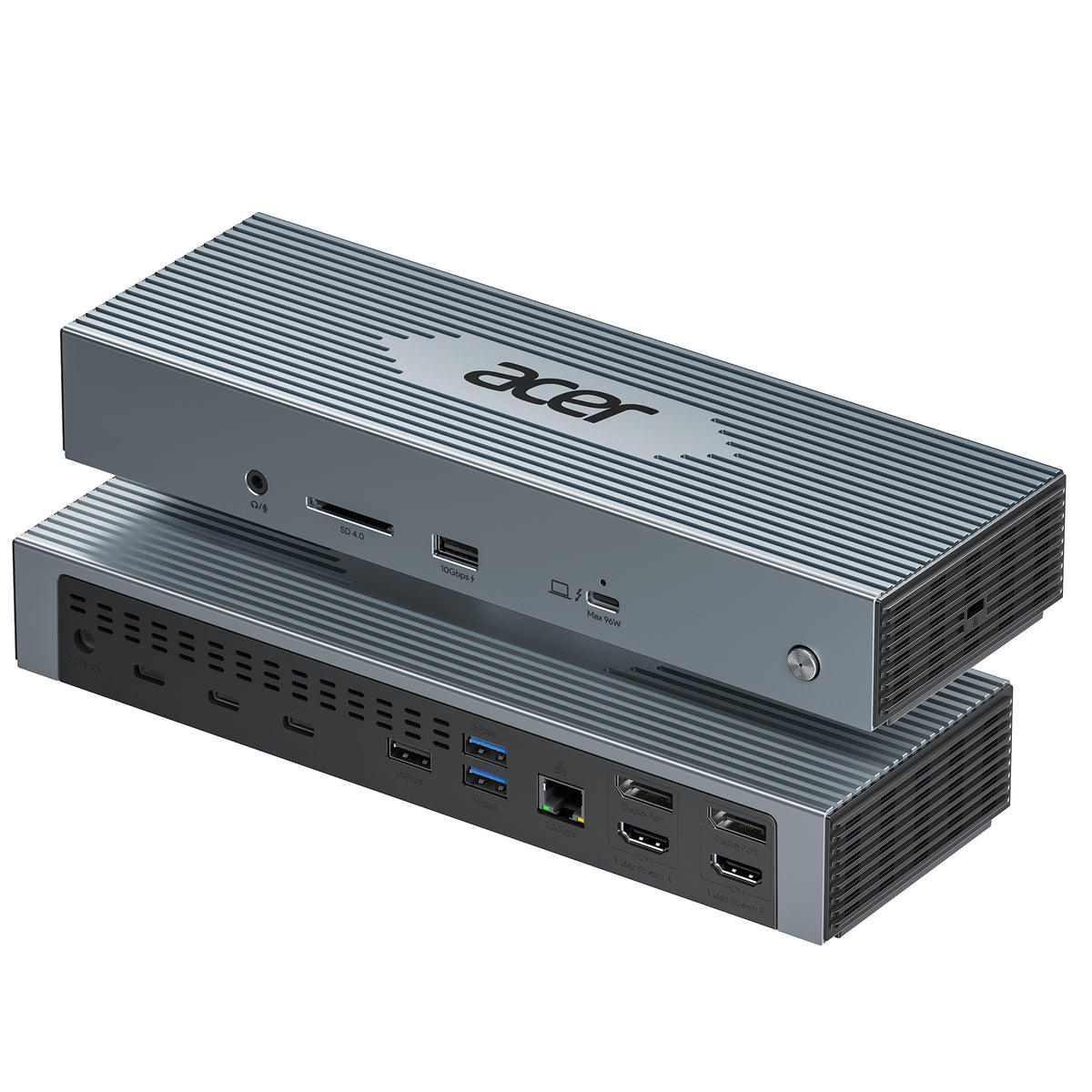
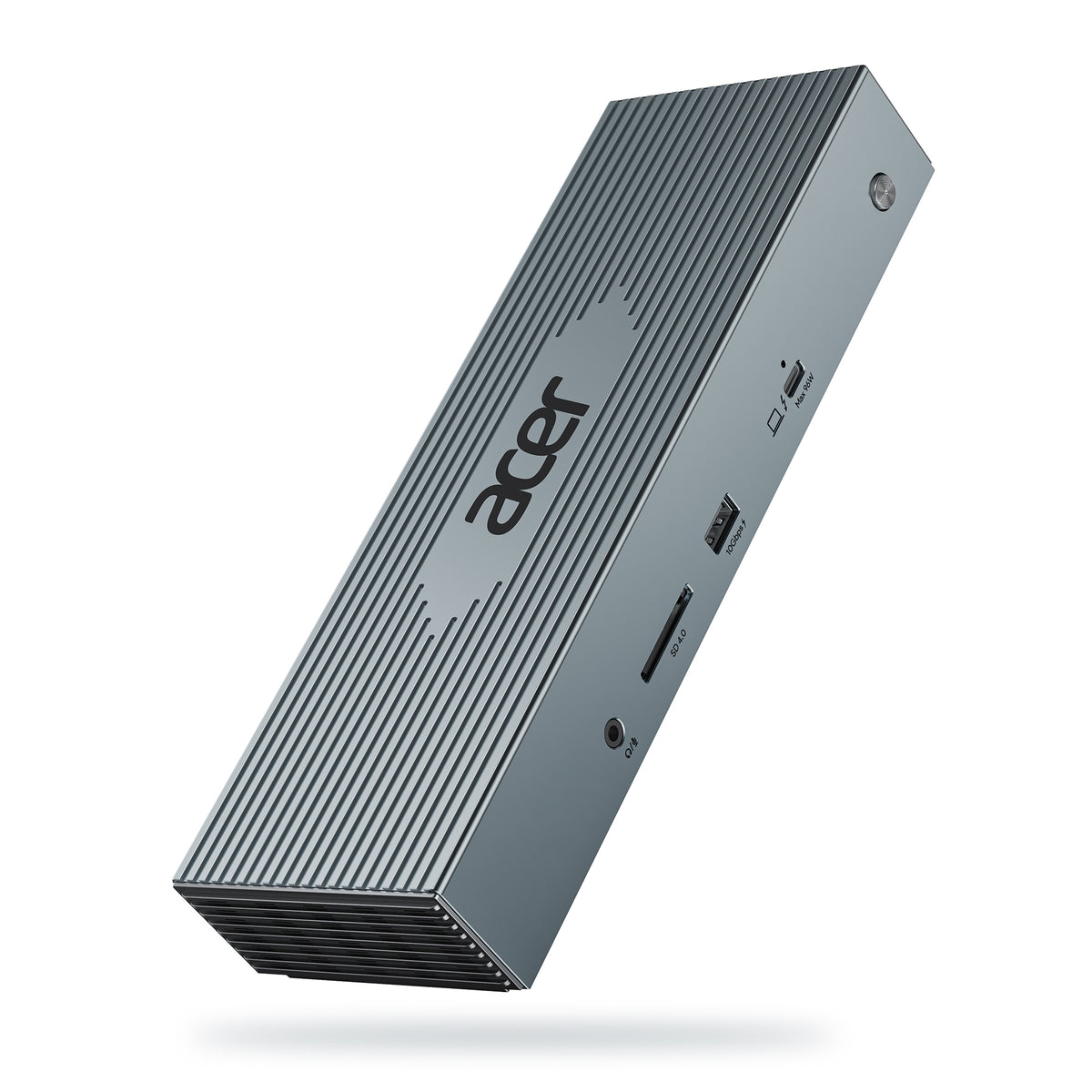
This thunderbolt 4 docking station is equipped with 3*Thunderbolt 4(40Gbps), 2*DisplayPort, 2*HDMI, 4*USB-A, 2.5G Ethernet, SD card reader, audio/mic port, USB-C Host(PD96W), and an Input 160W DC power port. Equipped with an advanced DisplayLink chip, it is compatible with both Windows and macOS systems
-
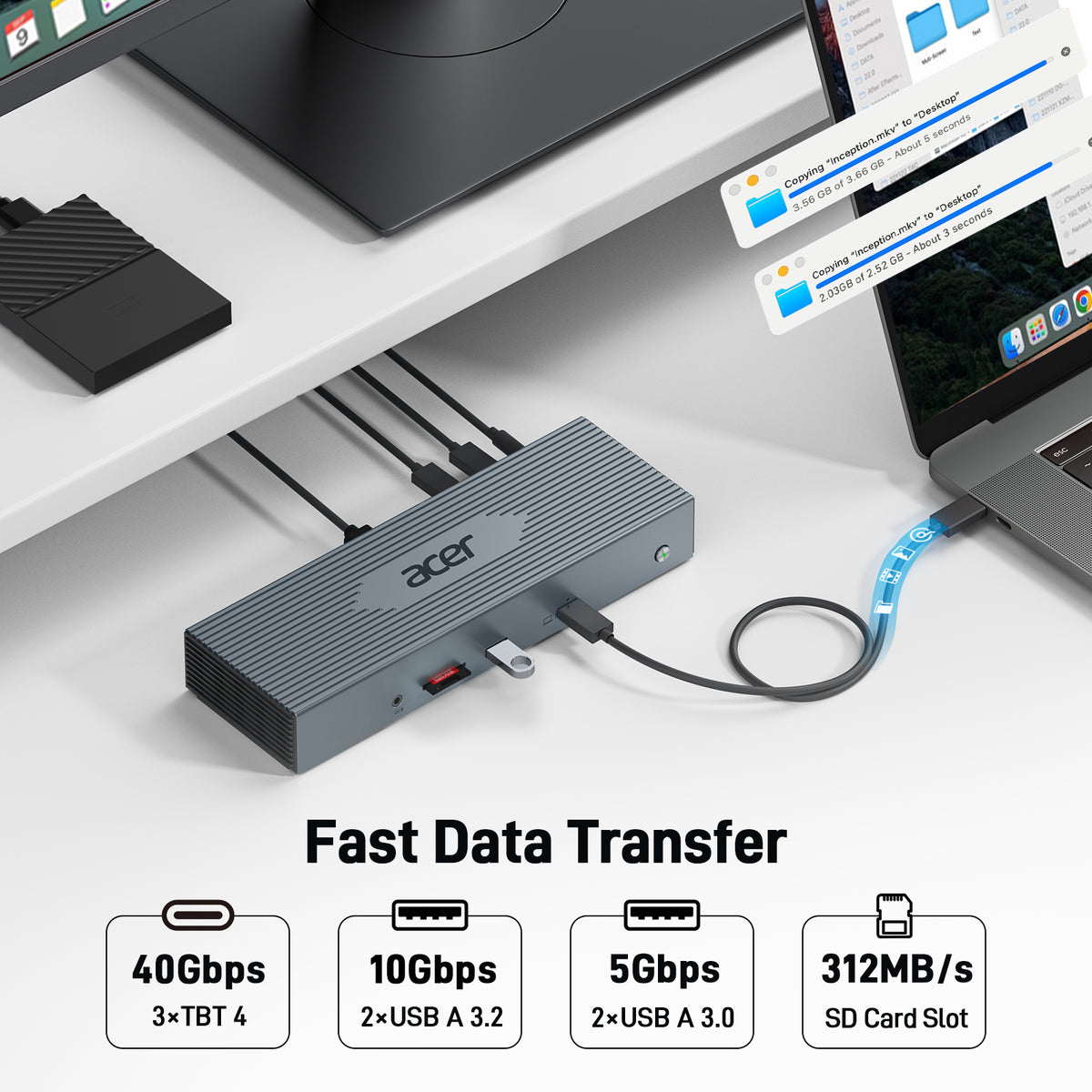
Fast 40Gbps Data Transfer
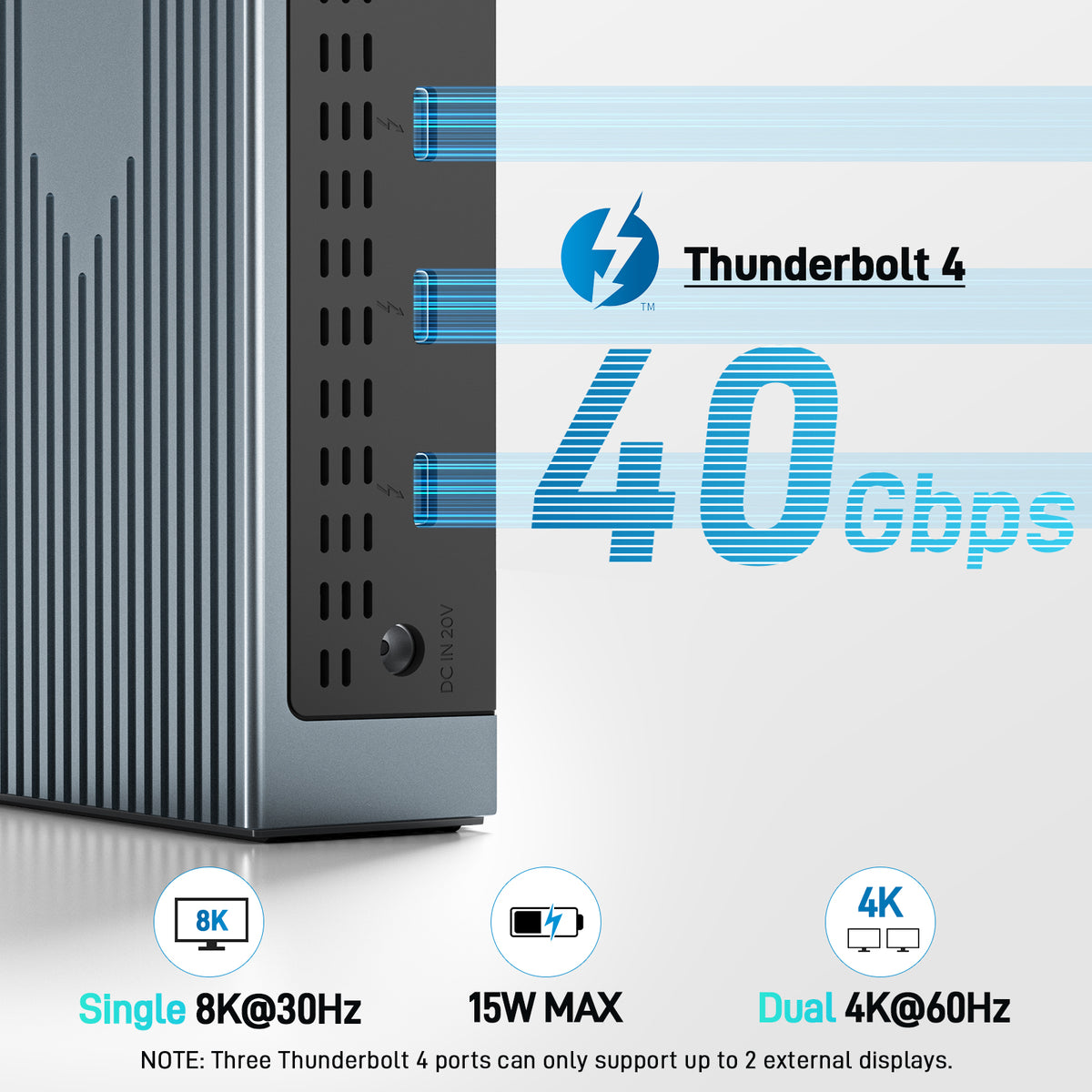
With three Thunderbolt 4 ports supporting blazing-fast 40Gbps data transfer, you can quickly move large files with ease. Additionally, the 2x USB-A 3.2 (10Gbps) and 2x 3.0 (5Gbps) ports provide versatile connectivity options. For even greater flexibility, the built-in SD 4.0 card reader delivers impressive transfer speeds of up to 315MB/s.
-
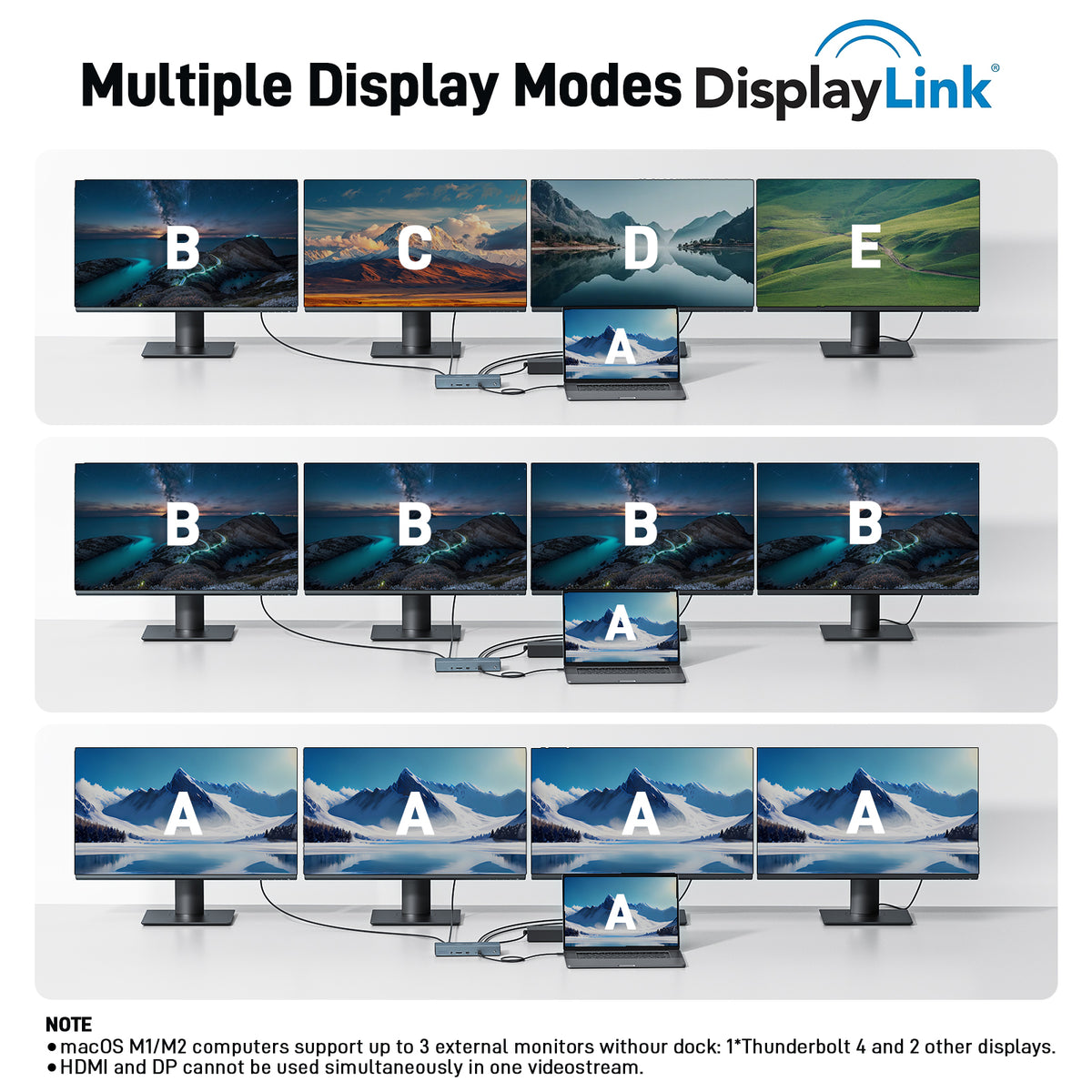
Single 8K or Quad 4K@60Hz Display
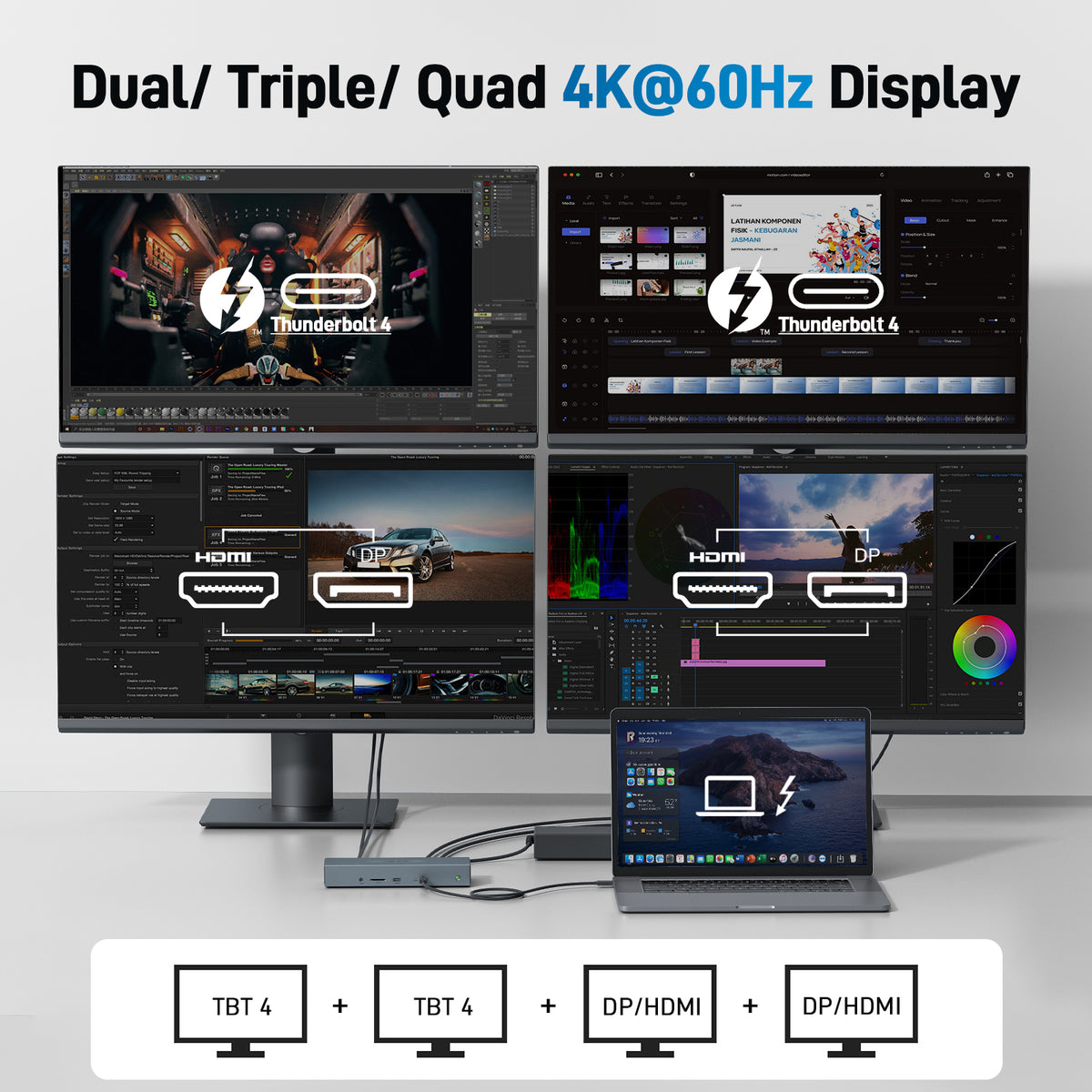
The laptop docking station supports a single 8K@30Hz display or up to four 4K@60Hz displays (Apple M1/M2 computers can connect up to 3 external monitors.), allowing easy switching between extend and mirror modes for enhanced visual experience.
-
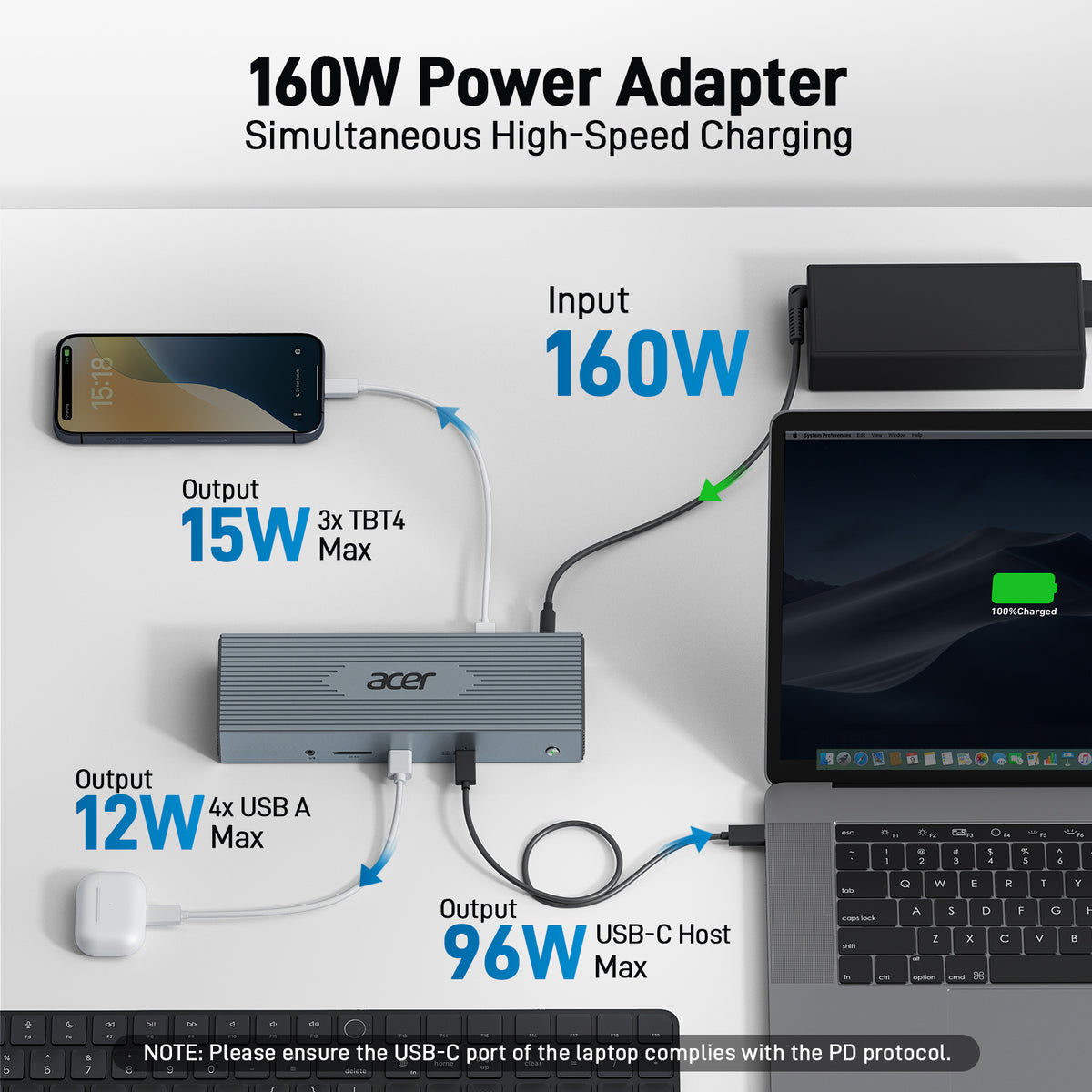
160W Super Power Adapter
The 160W power delivery is ideal for any Thunderbolt or USB-C host device. The USB-C host port provides up to 96W of power for charging laptops
-
2.5 Gigabit Ethernet
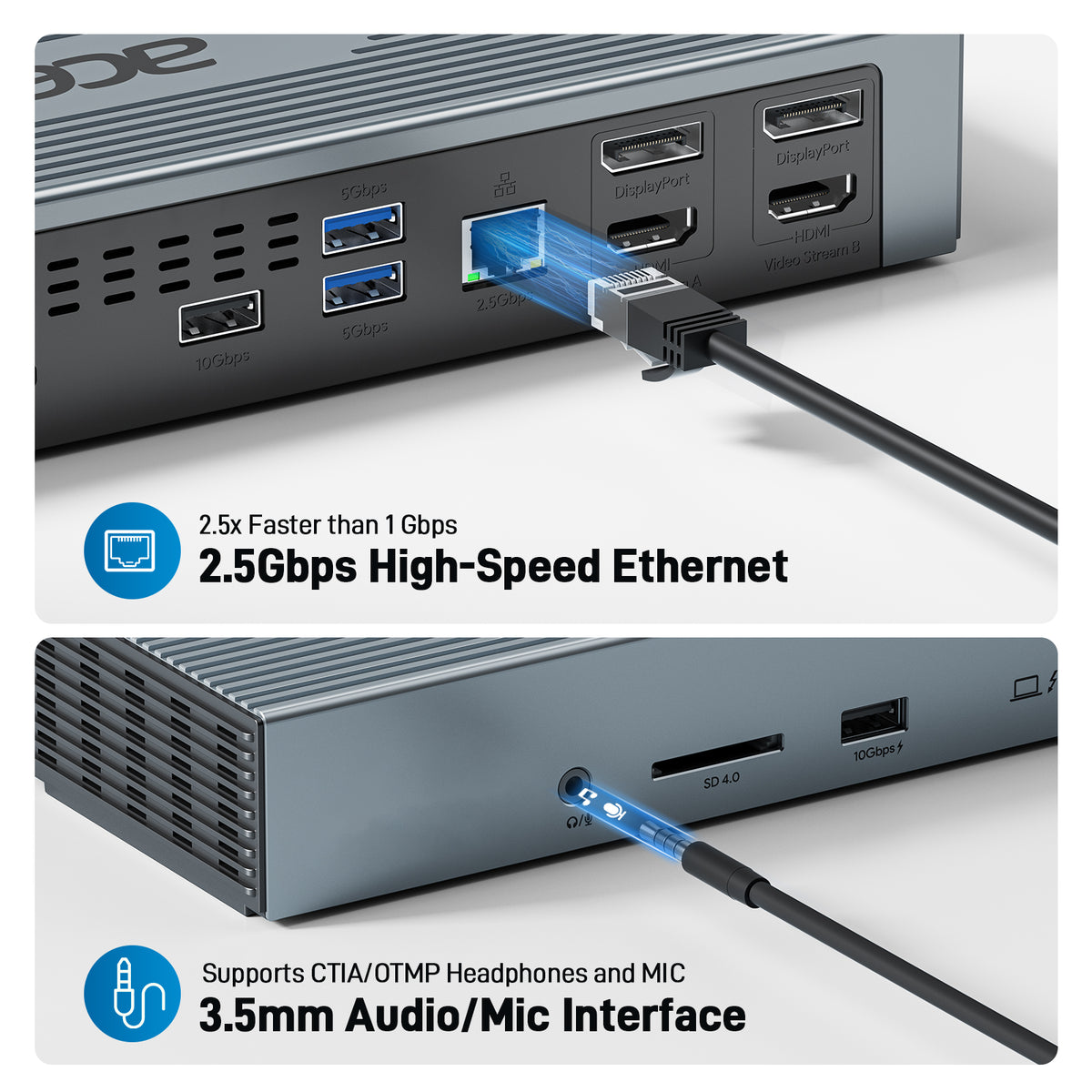
The 2.5Gbps RJ45 Ethernet port guarantees a stable and fast-wired internet connection, backward compatible with 1Gbps devices. Features a 3.5mm audio/microphone jack for easy connection to headphones or mics, ensuring crystal-clear communication and rich audio quality.
- Hardware Interface: 3.5mm Audio, DisplayPort, Ethernet, HDMI, Thunderbolt 4, USB 3.2 Gen 2, USB Docking Station
- Compatible Devices: 𝐀𝐥𝐥 𝐋𝐚𝐩𝐭𝐨𝐩𝐬 𝐚𝐧𝐝 𝐒𝐦𝐚𝐫𝐭𝐩𝐡𝐨𝐧𝐞𝐬 𝐰𝐢𝐭𝐡 𝐓𝐡𝐮𝐧𝐝𝐞𝐫𝐛𝐨𝐥𝐭 𝟒, 𝐓𝐡𝐮𝐧𝐝𝐞𝐫𝐛𝐨𝐥𝐭 𝟑, 𝐃𝐢𝐬𝐩𝐥𝐚𝐲𝐏𝐨𝐫𝐭 𝐀𝐥𝐭𝐞𝐫𝐧𝐚𝐭𝐞 𝐌𝐨𝐝𝐞 (𝐃𝐏 𝐀𝐥𝐭 𝐌𝐨𝐝𝐞)——𝐒𝐮𝐩𝐩𝐨𝐫𝐭 𝐃𝐢𝐬𝐩𝐥𝐚𝐲, 𝐂𝐡𝐚𝐫𝐠𝐢𝐧𝐠, 𝐃𝐚𝐭𝐚 𝐓𝐫𝐚𝐧𝐬𝐟𝐞𝐫 𝐏𝐫𝐨𝐭𝐨𝐜𝐨𝐥. Such as MacBook Pro/Air, HP ProBook, EliteBook, Spectre x360 series, Dell XPS 13/15/17, Dell Latitude, Dell Inspiron, Lenovo ThinkPad, Lenovo IdeaPad, Lenovo Yoga, Microsoft Surface Pro 7/8/9, ASUS, Acer, Galaxy S23, and more.
- Total USB Ports: 4
- Number of Ports: 16
- Total Number of HDMI Ports: 2
- Wattage: 160
- Item Dimensions: 9.55"L x 3.15"W x 1.55"H
- Item Weight: 1593g


FAQ
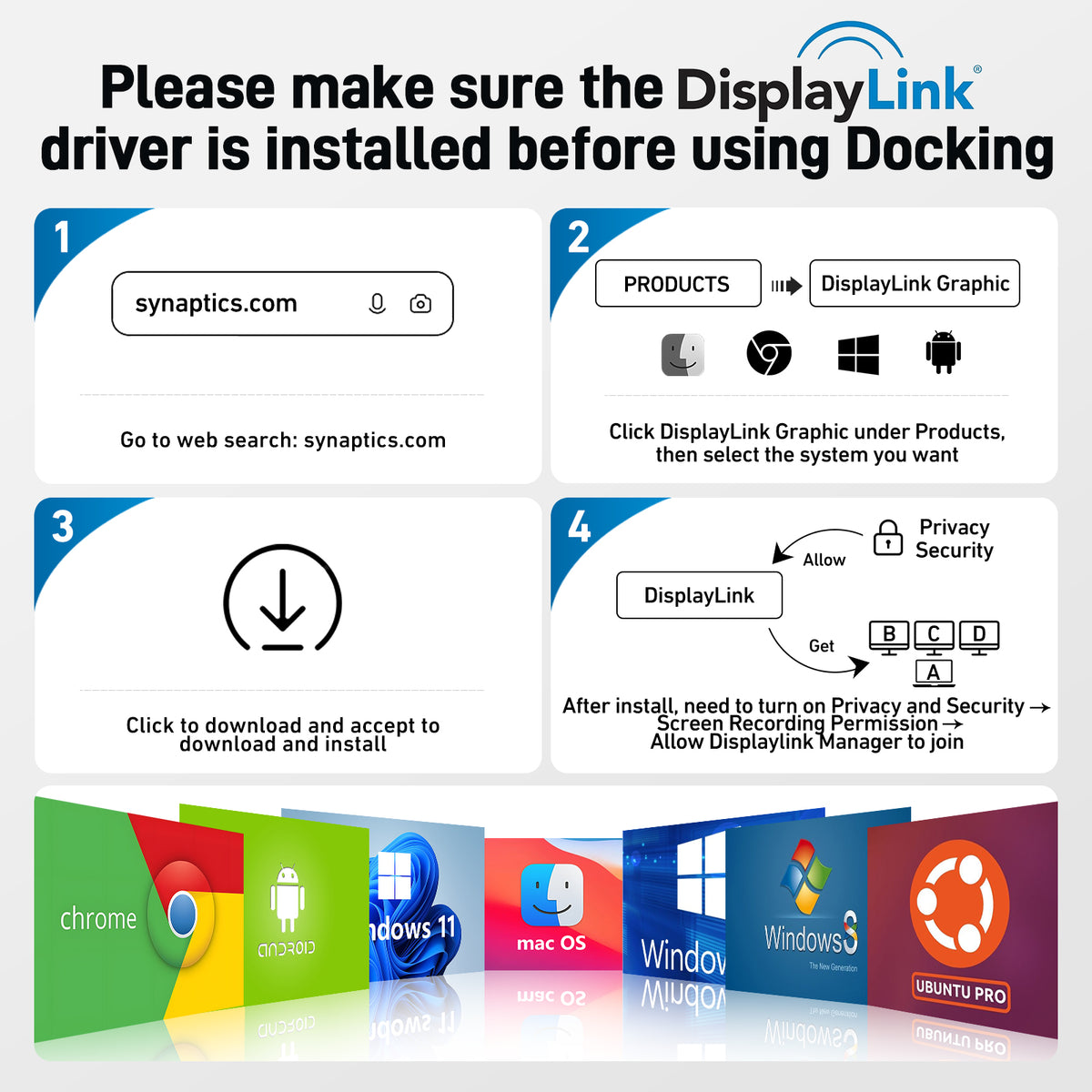
Must I download and install the DisplayLink driver for this Acer Thunderbolt 4 docking station?
Yes, this docking station requires downloading and installing a DisplayLink driver before use. Note: For macOS, after downloading and installing the driver, please go to Privacy & Security > Screen Recording, and ensure “DisplayLink Manager” is authorized and turned on.
How can I connect 4 monitors using this dock?
You can connect up to 4 monitors at 4K@60Hz using 2 Thunderbolt 4 ports + HDMI/DP + HDMI/DP. HDMI and DisplayPort share a single video stream, so HDMI and DP cannot be used simultaneously in one video stream.
Do all Mac devices support 4 monitors?
No. Only M1/M2 Max or newer Mac models support up to 5 displays (laptop + 4 external monitors). Earlier Mac models support fewer displays: M1/M2 (Base) supports up to 2 external monitors, and M1/M2 Pro supports up to 3 external monitors.
What should I do if my monitors show no display, black screen, flickering, or other issues when using the dock?
Check cables, ensure your laptop supports DP Alt Mode or DisplayLink, and update the DisplayLink and graphics drivers as needed.
