

Acer 12-in-1 USB-C Docking Station | 8K DP, Dual 4K HDMI & Triple Monitor
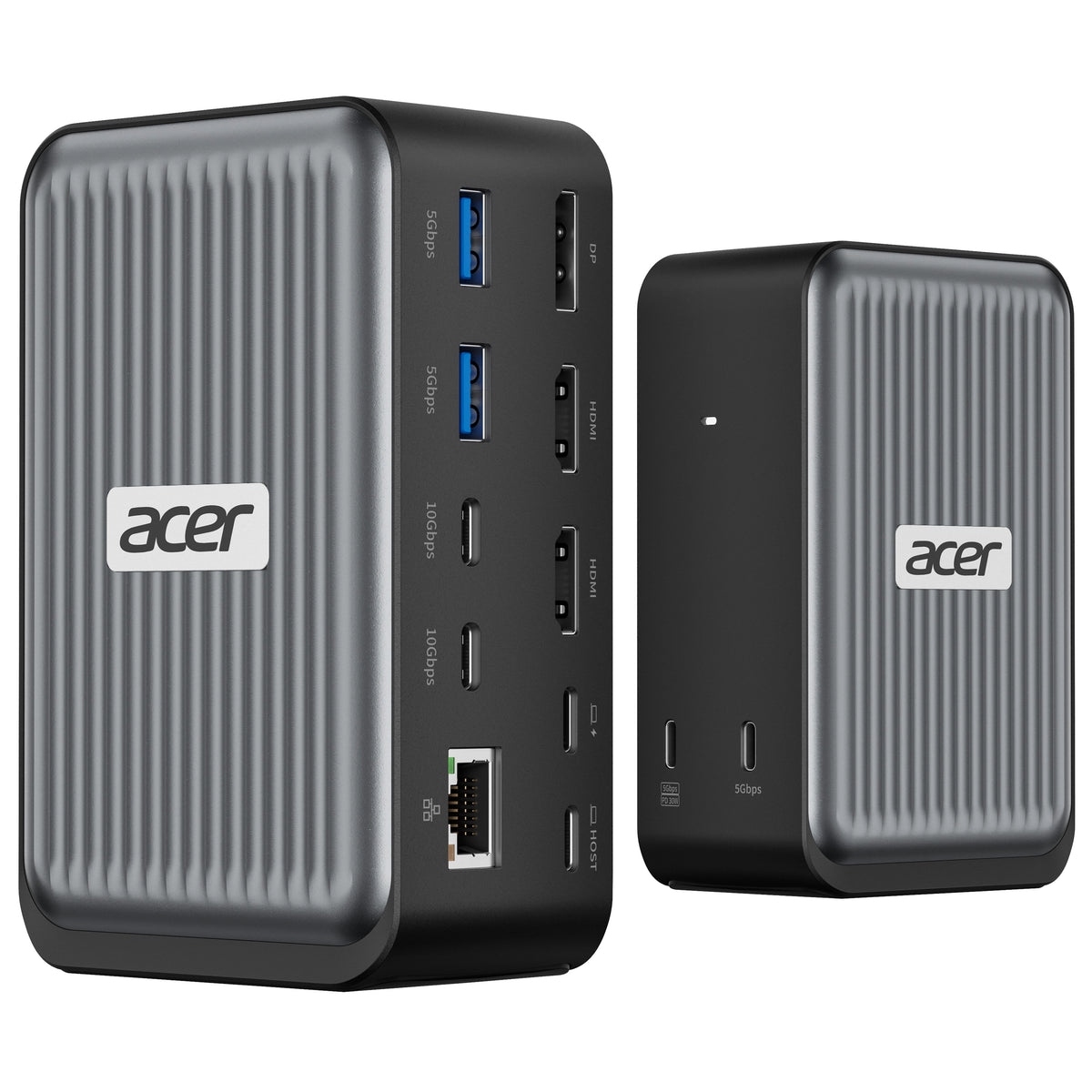
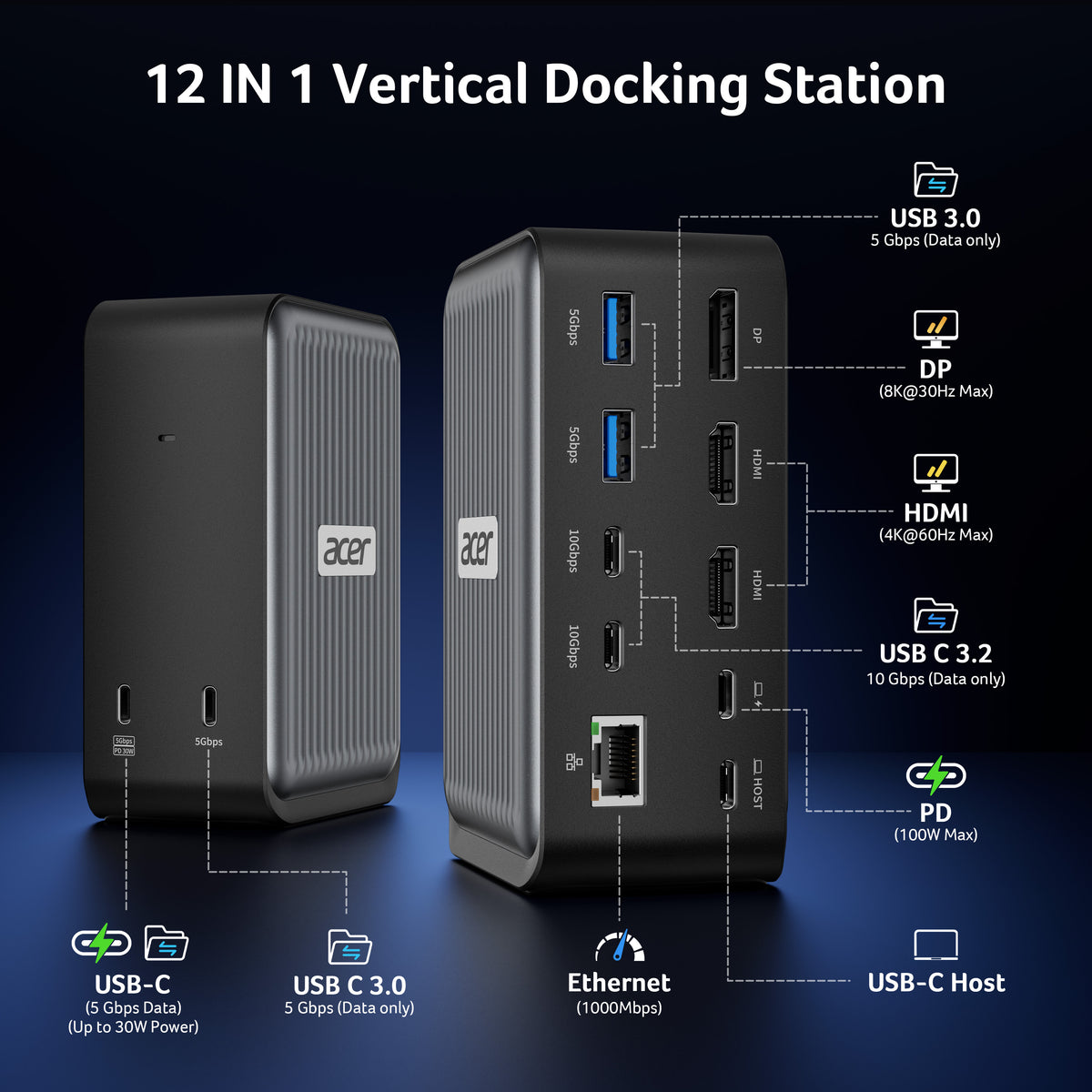
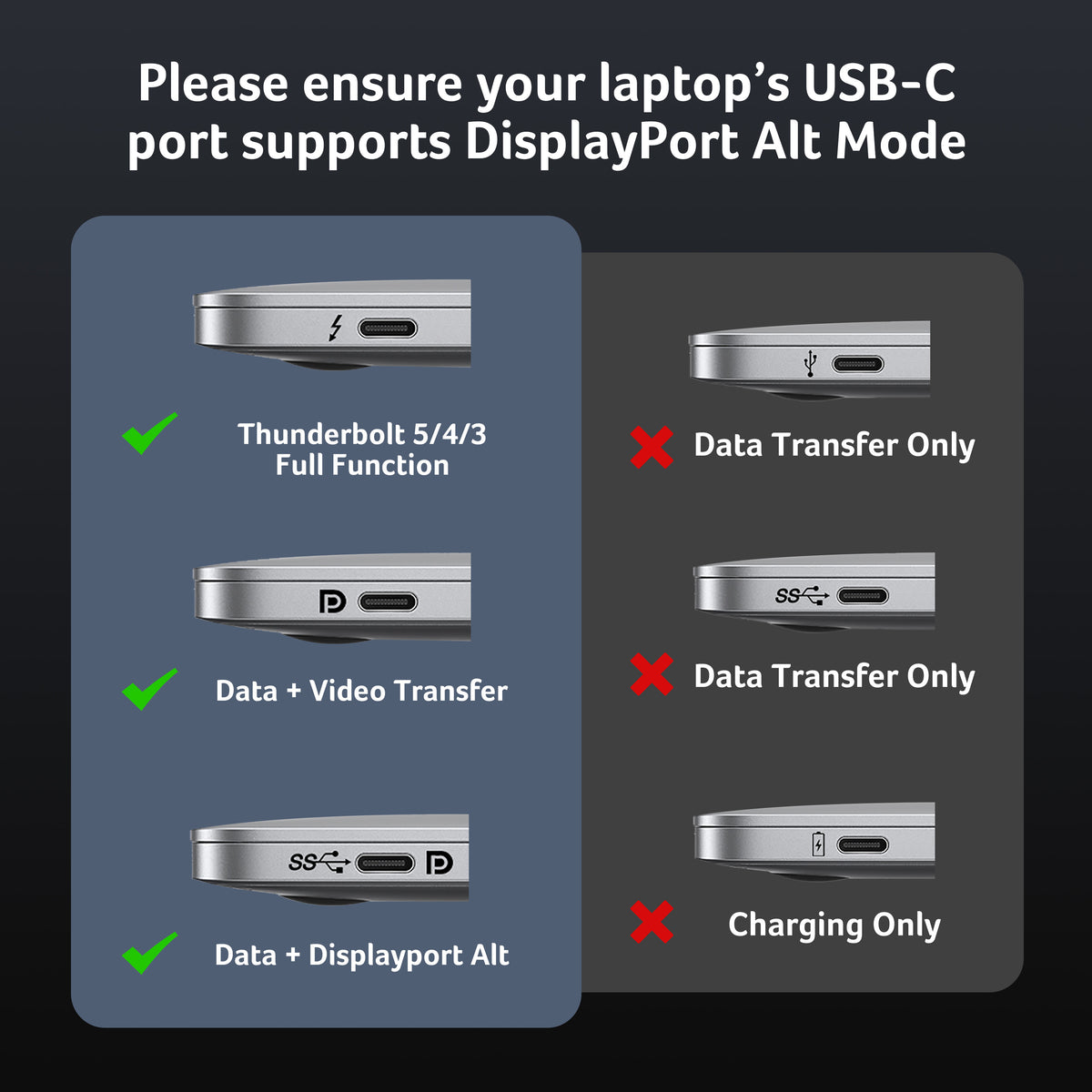
- 【All-in-One USB-C Docking Station】 Expand your laptop setup with 2× HDMI (4K@60Hz), 1× DisplayPort (8K@30Hz), 4× USB-C, 2× USB-A, Gigabit Ethernet, and 100W PD charging. Connect displays, peripherals, and power through one convenient dock. Requires a USB-C port with DisplayPort Alt Mode.
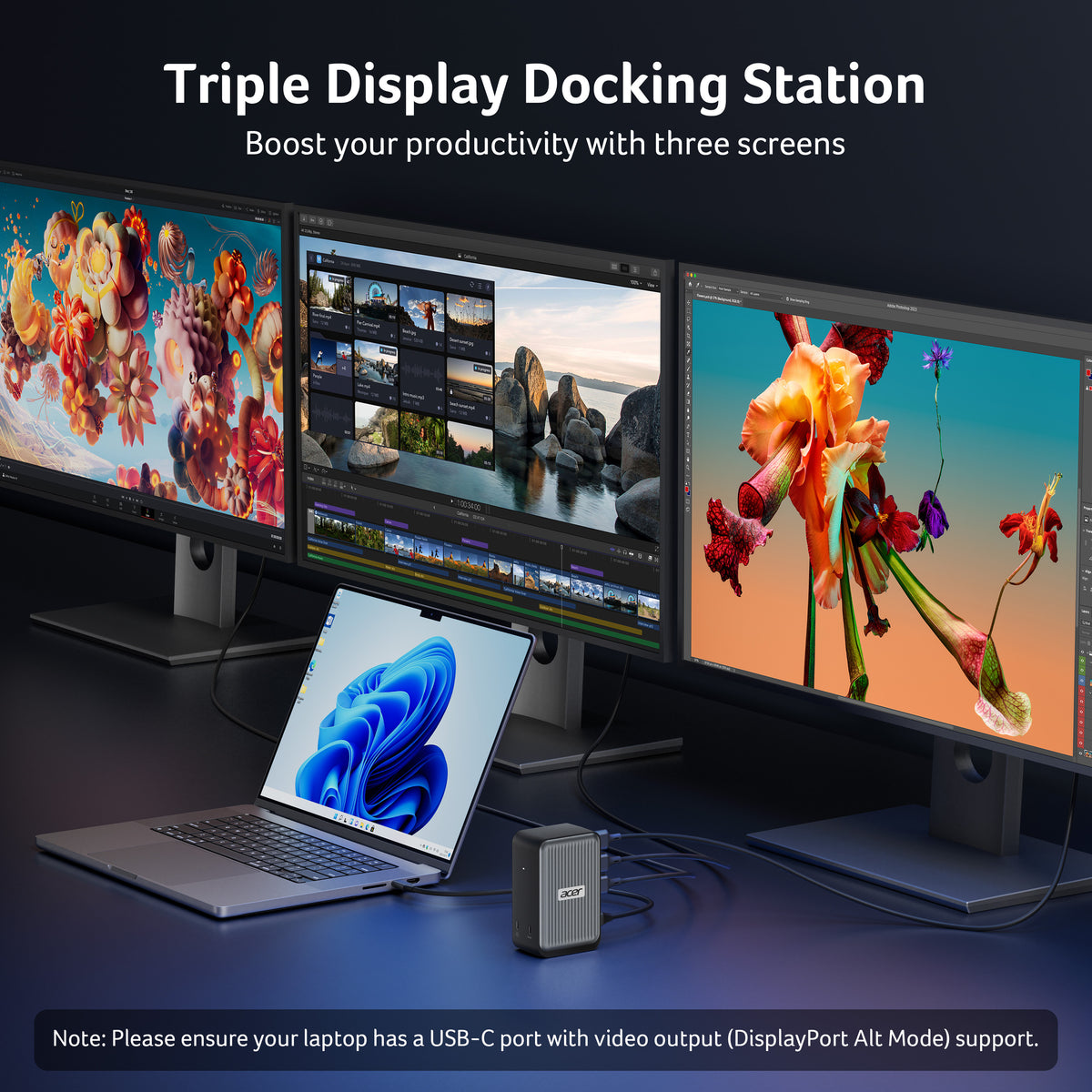
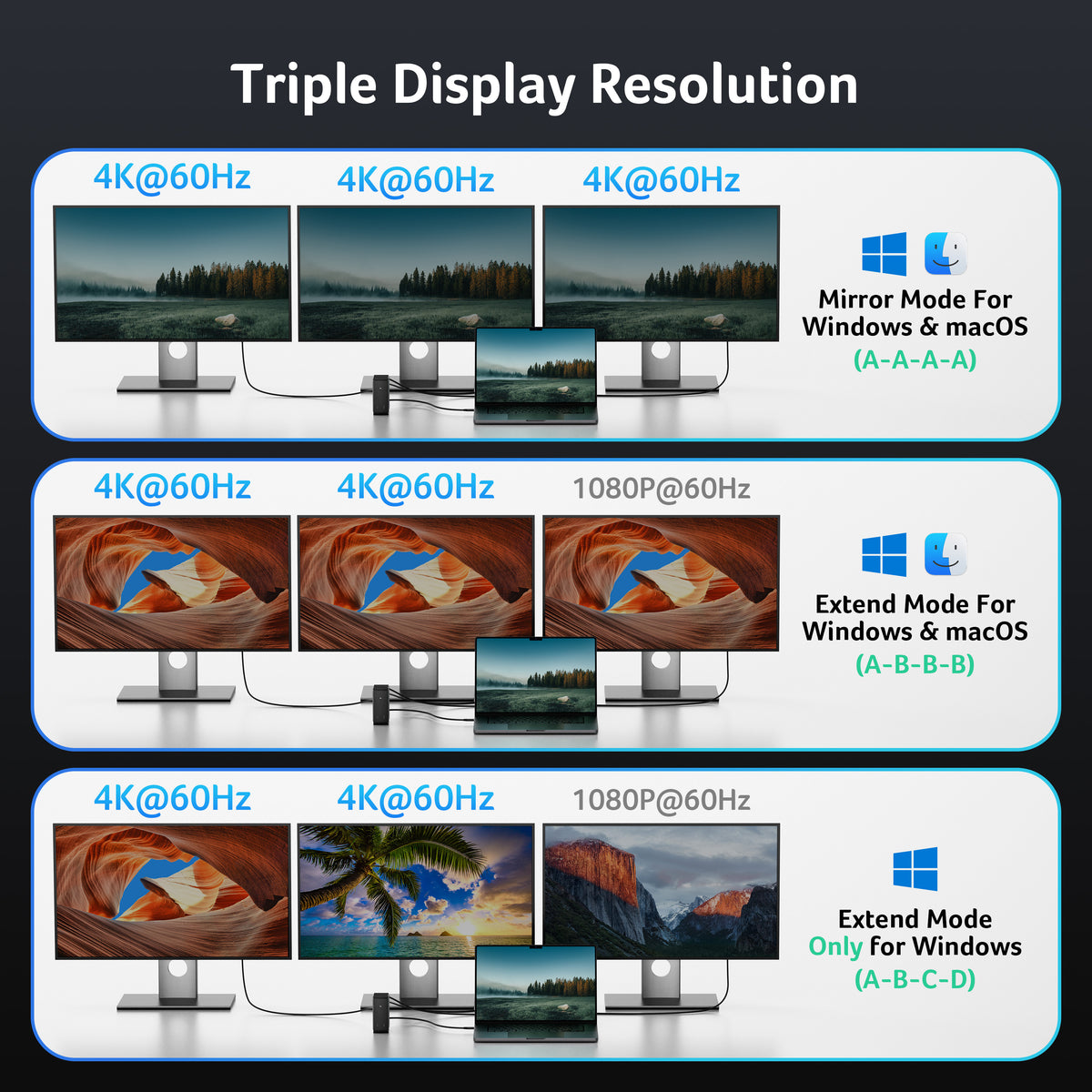
- 【Triple Monitor Expansion】 Build a productive 3-monitor setup with up to 4K@60Hz + 4K@60Hz + 1080P@60Hz output. Ideal for multitasking, office work, content creation, and professional setups. Display performance depends on your laptop and monitor specifications.
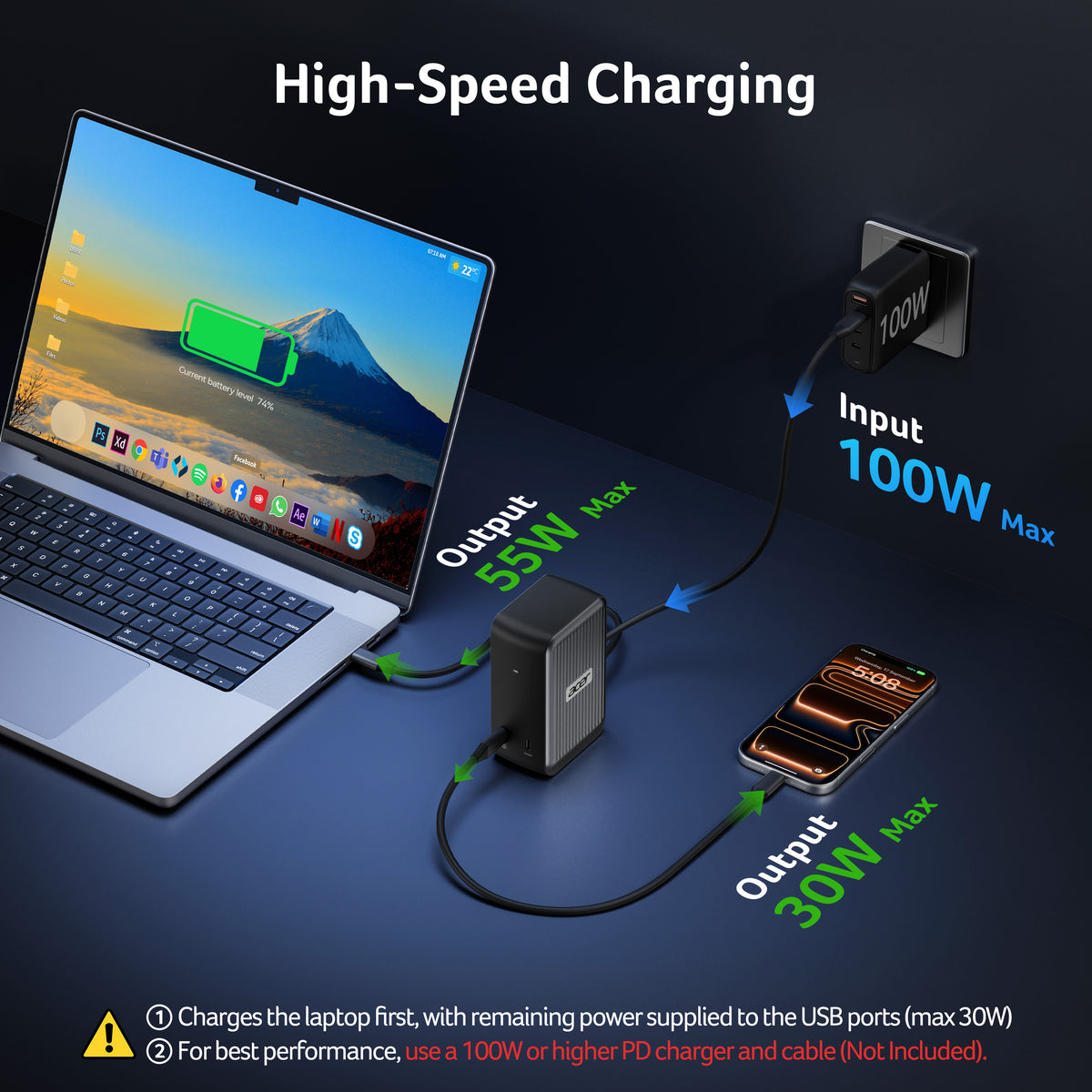
- 【100W USB-C PD Charging】 Supports up to 100W PD input and provides up to 55W to your laptop, while the designated USB-C port delivers up to 30W to compatible devices. Requires a 100W+ USB-C PD charger and cable. Not included.
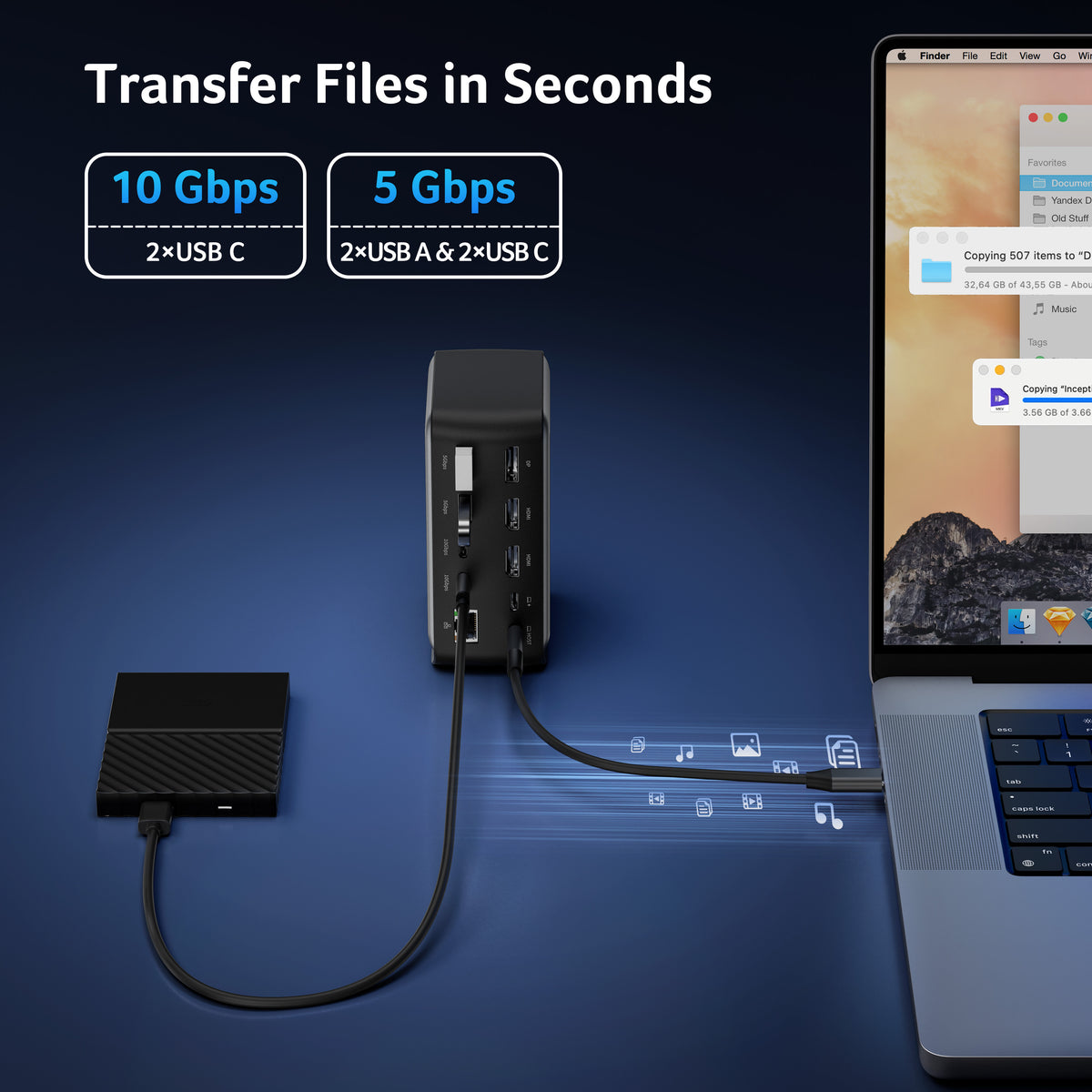
- 【10Gbps High-Speed Data Transfer】 Connect storage drives, keyboards, mice, and other peripherals through multiple USB-C and USB-A ports with speeds up to 10Gbps. Transfer large files efficiently while keeping your workspace connected.
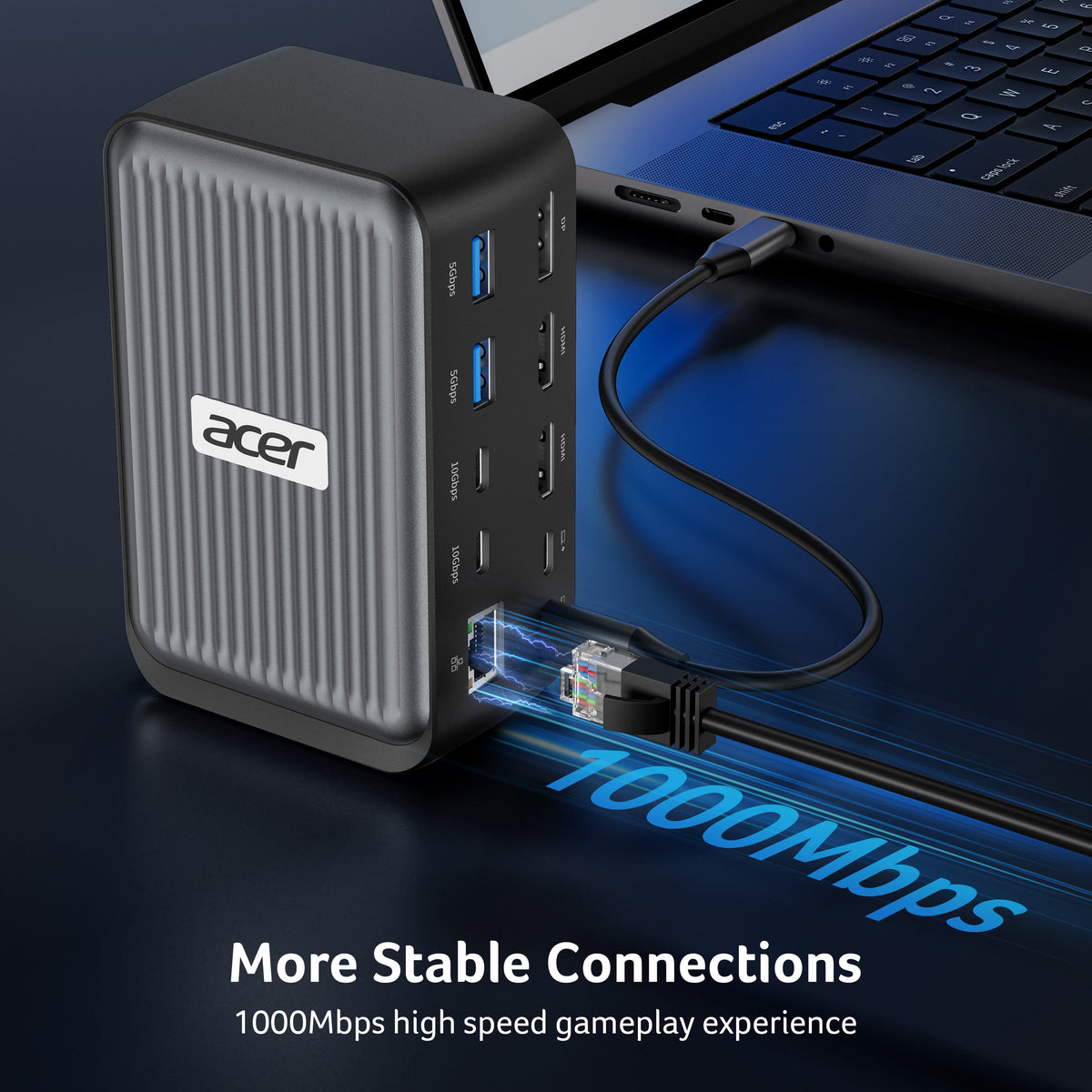
- 【1Gbps Gigabit Ethernet】 The built-in RJ45 Gigabit Ethernet port provides a fast and stable wired connection for video meetings, streaming, cloud work, and large file transfers.
- 【Windows & macOS Compatible】 Designed for laptops with USB-C DisplayPort Alt Mode, this docking station combines display expansion, data transfer, networking, and charging through one connection. On macOS, external displays may mirror the same content depending on the Mac model and configuration.
- Hardware Interface: Ethernet, HDMI, USB 3.0, USB Type C
- Compatible Devices: USB C devices with DisplayPort Alternate Mode (DP Alt Mode)—Supporting display, charging, and data transfer. Including Acer, Dell, Lenovo, Surface, HP, ASUS, MacBook, Samsung laptops and smartphones, as well as accessories like mice and keyboards.
- Total USB Ports: 2
- Number of Ports: 12
- Item Dimensions L x W x H: 6.38"L × 4.84"W × 3.19"H
- Item Weight: 420 g


FAQ
Is this compatible with my MacBook?
Yes, the Acer 12-in-1 USB-C Docking Station is fully compatible with MacBooks. It works with any MacBook that has a USB-C port with DisplayPort Alternate Mode (DP Alt Mode) — which includes:
- MacBook Pro (2016 and newer)
- MacBook Air (2018 and newer)
- 24-inch iMac (2021 and newer)
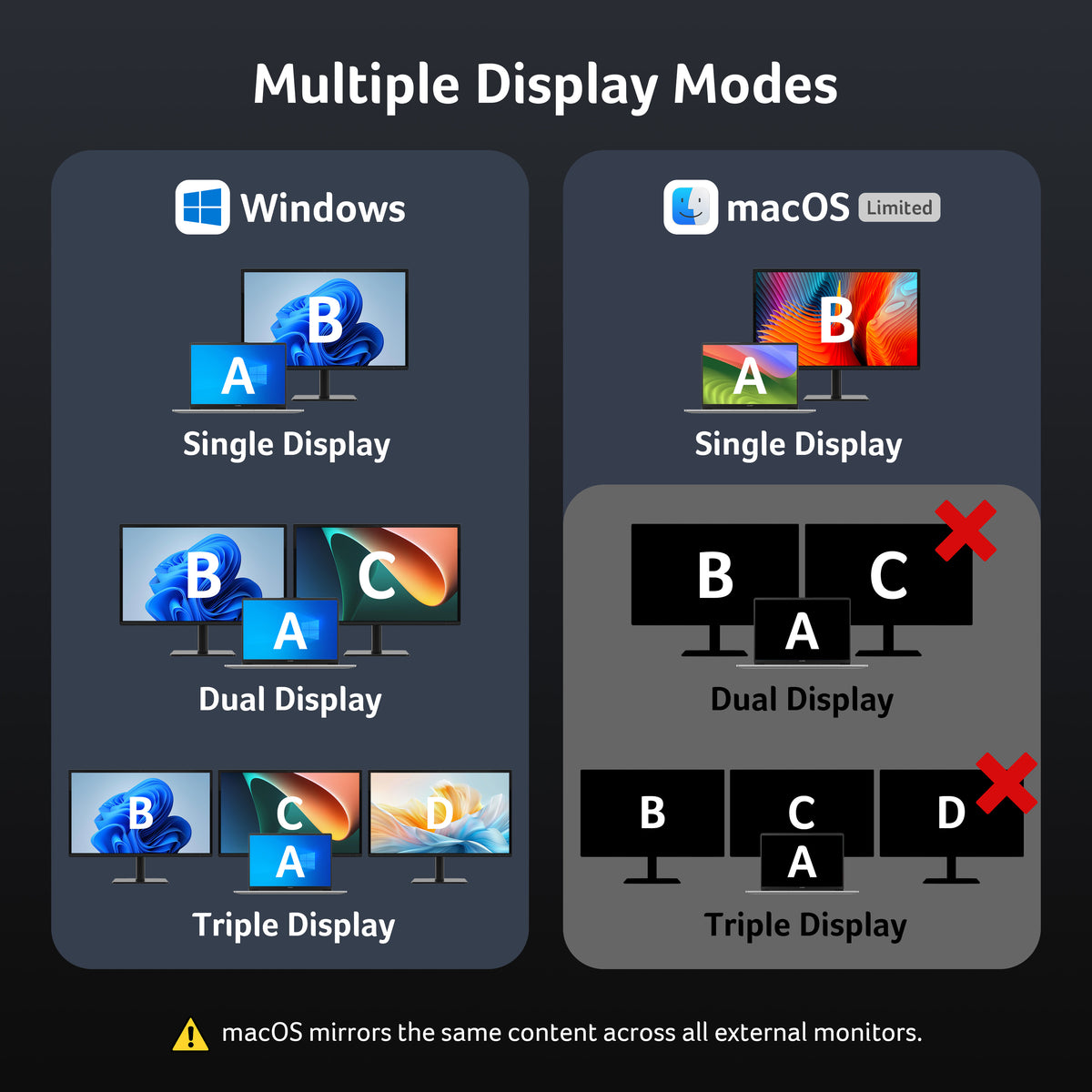
Important Mac limitation: macOS can only mirror displays, not extend them — meaning all three monitors show identical content. This is a macOS operating system limitation, not a dock limitation. Windows laptops connected to the same dock can use extended desktop mode with three different displays.
What works great on Mac:
- Charging your MacBook (up to 55W)
- Connecting up to 3 monitors (all mirrored)
- Gigabit Ethernet, USB ports, and data transfers
Does it support 3 monitors?
Yes, the Acer 12-in-1 USB-C Docking Station fully supports 3 monitors simultaneously with excellent resolutions:
Triple Display Configuration:
- 2× HDMI ports – 4K@60Hz each
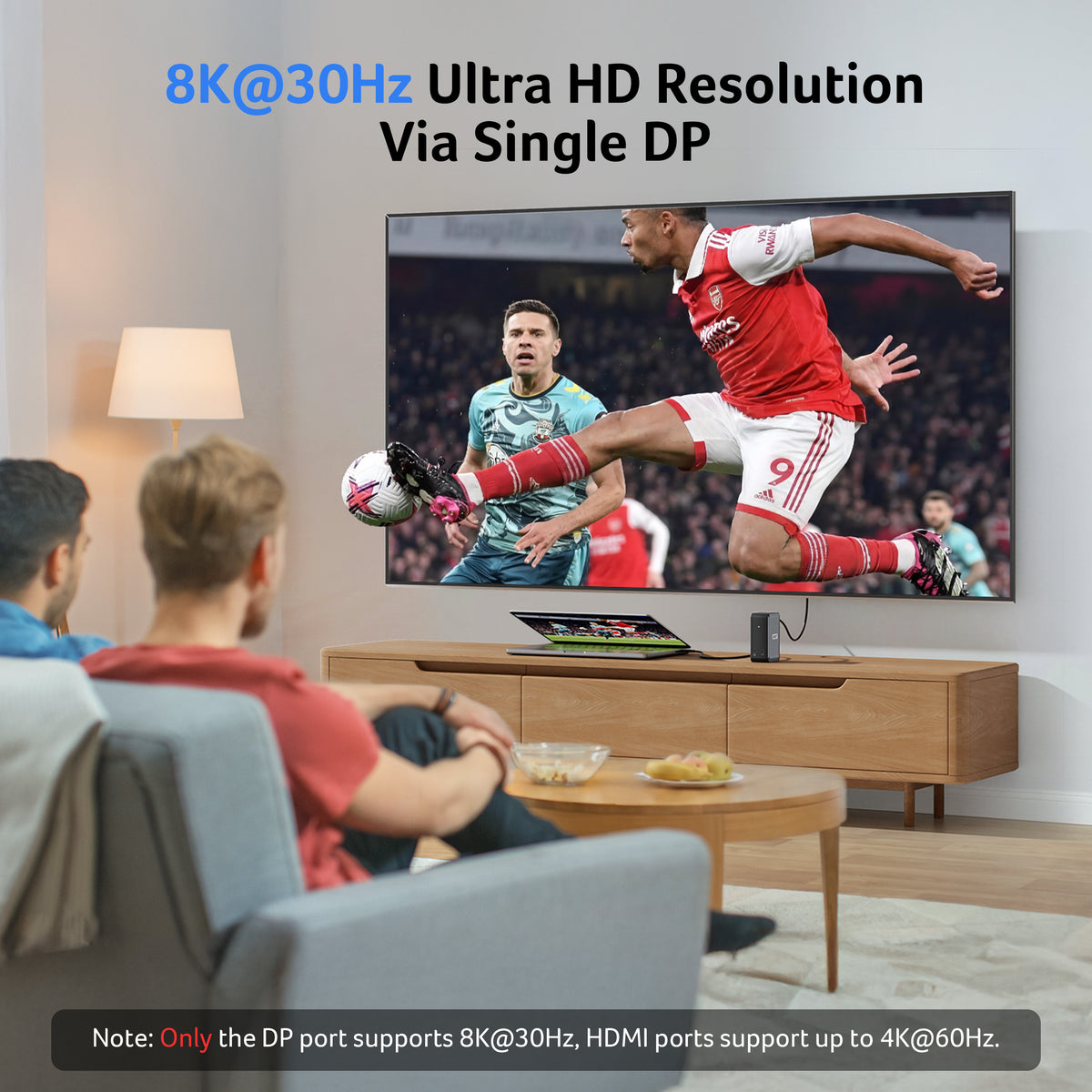
- 1× DisplayPort – 8K@30Hz (or 4K@60Hz)
- Total capability – 4K@60Hz + 4K@60Hz + 1080P@60Hz
Customers consistently report running all three monitors without any flickering or lag, making it ideal for professionals who need extended desktop space for multitasking, design work, or financial analysis.
Note: On Mac, all three displays will mirror the same content (macOS limitation). On Windows, you get full extended desktop mode with three independent displays.
How do I set up 3 monitors?
Step-by-Step Setup:
- Connect the dock to your laptop – Plug the included USB-C cable into your laptop's USB-C port (must support DisplayPort Alt Mode)
- Connect your monitors – Plug each monitor into the dock's video ports:Monitor 1 → First HDMI port (4K@60Hz)Monitor 2 → Second HDMI port (4K@60Hz)Monitor 3 → DisplayPort (8K@30Hz or 4K@60Hz)
- Provide power – Plug a 100W+ USB-C power adapter into the dock's power input (adapter not included)
- That's it! – Monitors should auto-detect on Windows. On Mac, you'll see all three mirrored automatically
Pro tips from customers:
- Ensure your monitors support HDMI 2.0+ for 4K
- Keep the dock close to your laptop (the cable is about 1 foot long)
- The metal casing dissipates heat well during extended use
Troubleshooting display issues
Here are common display troubleshooting steps for the Acer 12-in-1 USB-C Docking Station:
Monitor Not Detected:
- Restart your laptop and dock (unplug power for 10 seconds)
- Verify your laptop supports DisplayPort Alt Mode over USB-C—older models may not
- Swap monitor cables between the HDMI and DisplayPort ports to test
Flickering or Low Refresh Rate:
- Ensure your monitors support HDMI 2.0 or higher
- Update your laptop's display drivers
- Try connecting one monitor at a time to isolate the issue
- On Mac: verify you're using the correct display settings (mirrored mode only)
Mac-Specific Issues:
- macOS can only mirror displays, not extend them—all three monitors show identical content
- Windows supports extended desktop mode for separate monitor displays
Overheating:
- Ensure the dock has airflow around it—don't cover the vents
- Unplug unused cables to reduce power draw
Customers report stable, flicker-free performance once properly configured. If issues persist after these steps, verify your power adapter is 100W+ and contact Acer support with your setup details.
Does it work with older laptops?
The Acer 12-in-1 USB-C Docking Station requires your laptop to have a USB-C port with DisplayPort Alternate Mode (DP Alt Mode) to output video to external monitors.
Older laptops may not work if they:
- Don't have USB-C at all (pre-2015 for most brands)
- Have USB-C but lack DisplayPort Alt Mode support (some older models)
- Only support USB 2.0 or basic USB 3.0 over USB-C without video output
Works with older models that have:
- USB-C with DisplayPort Alt Mode support (2015+ Dell XPS, MacBook Pro 2016+, newer ThinkPads, etc.)
- Acer, HP, ASUS, Lenovo, Surface, Samsung laptops with compatible USB-C
To check your laptop: Search your model number + "DisplayPort Alt Mode USB-C" to confirm compatibility before purchasing.
Customers report it works reliably with any recent laptop that supports the standard.
Does it support 4K monitors?
Yes, the Acer 12-in-1 USB-C Docking Station fully supports 4K monitors. It can actually drive two 4K displays simultaneously plus a third monitor:
Display Capabilities:
- 2× HDMI ports – Each supports 4K@60Hz
- 1× DisplayPort – Supports 8K@30Hz (or 4K@60Hz)
- Total configuration – 4K@60Hz + 4K@60Hz + 1080P@60Hz across three monitors
Important note: Your monitors must have HDMI 2.0 or higher to achieve 4K resolution. Older HDMI 1.4 monitors max out at 1080p.
Customers consistently report sharp, flicker-free 4K visuals with no lag when running multiple high-resolution displays, making this ideal for creative professionals or multitasking workflows.


