It's works. Does what its meant to do.
Just plug in and….perfect! I’m one happy camper!!!
exactly what it is
I use a macbook to connect to my Shapeoko 4 XXL router, and the macbook doesn't have regular USB ports. Problem solved - I just plug my macbook into this and the router into one of the four USB-A ports, and everything's good.
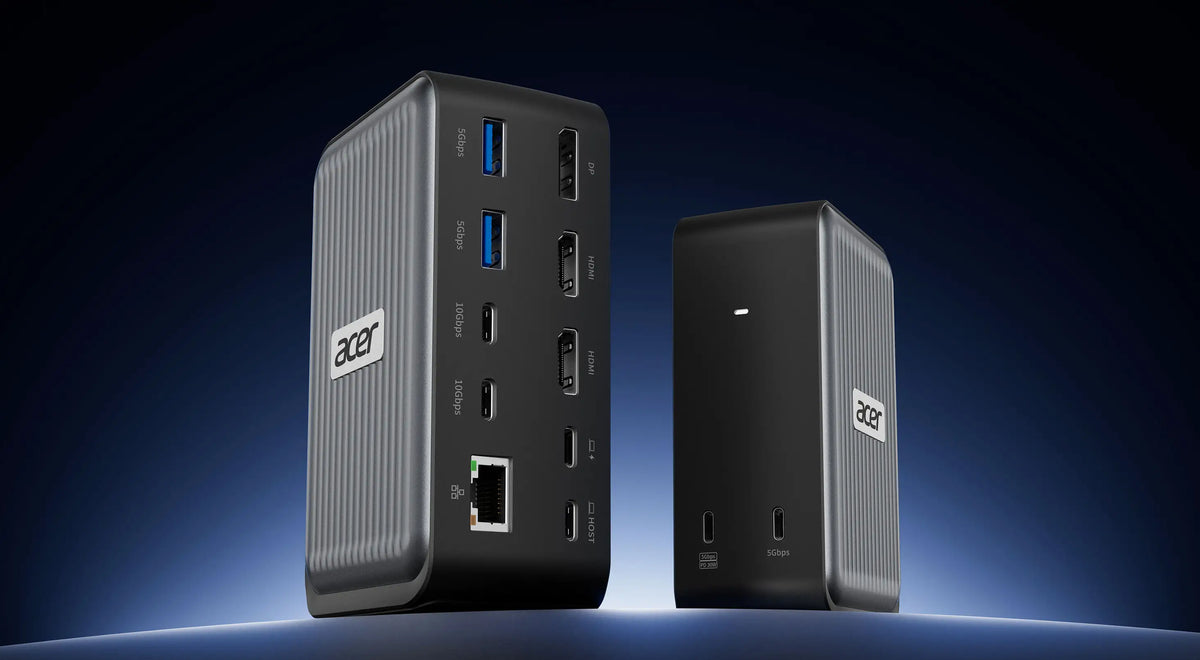
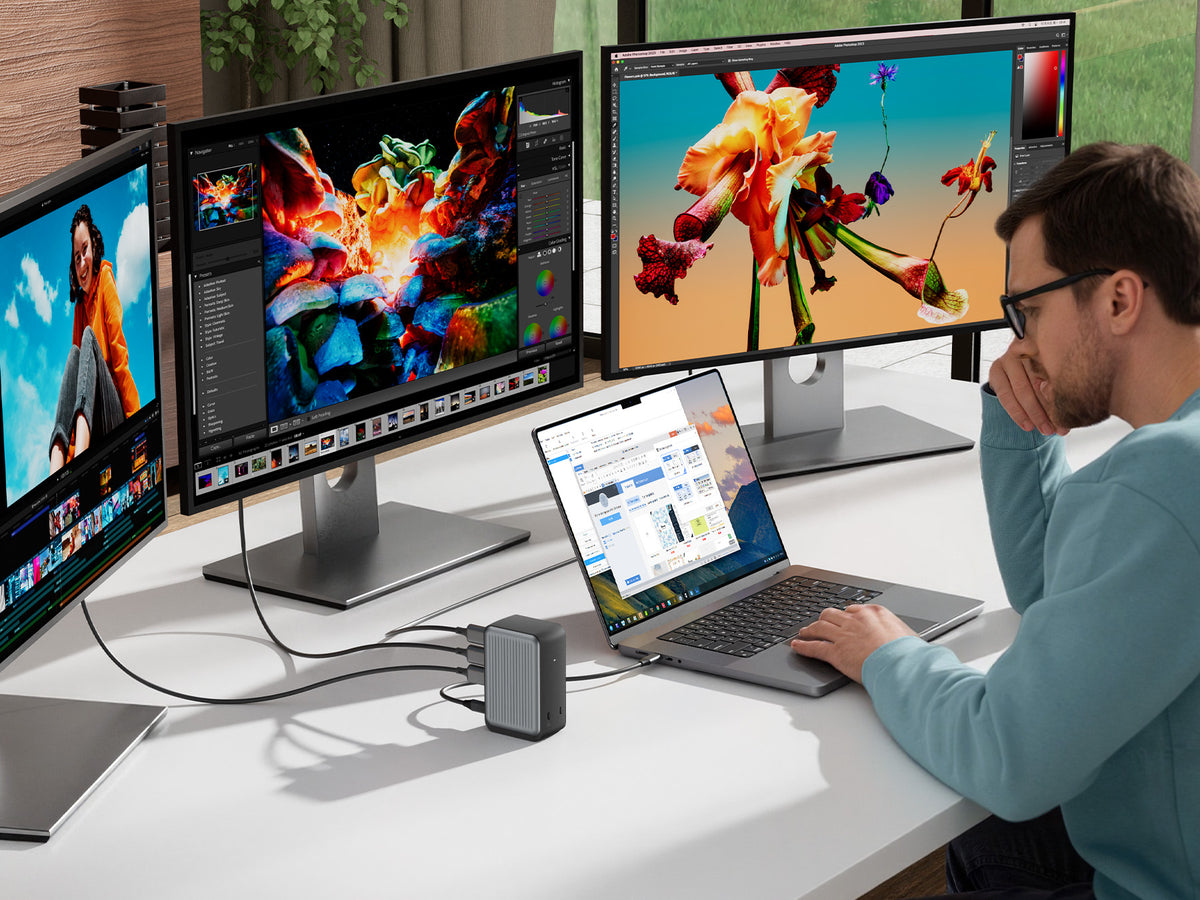
Works good with USB C 4.0 ports. Got all the USB and HDMI connections of the hub working from my laptop. So, this hub can charge my laptop, connect to external storage, monitor, keyboard and mouse, all through a single USB C port. Works good.
Excellent USBC Hub. Acer is a trusted brand, and the item is AUTHENTIC. You can utilize the added USBA ports, SD/Micro SD Reader slots HDMI Connection for an additional monitor, and am For newer PCs and tablets that have limited or no USB ports I highly recommend this hub!!! It consolidates multiple uses from one USBC port while still allowing for the device to be charged through that port.
Excelente Hub.
Totally does what it is supposed to do. No glitches.
Works well and fast! Usually have my monitor plugged into this to use on another device, no lag issues or anything. I've noticed. Works well with my Windows 10 and 11 devices, but I can't check how the HDMI ports on the 10 work. Not very heavy, I will say the cable is a bit short, which is made worse by the inconvenient placement of the SD card slots, causing the card to rub against the table if I need to place it on its side.The only major issue I've had so far is the SD card reader. I'm unsure if it's the unit or if it's the card itself, but it gives me near constant connectivity issues. Not the biggest deal, though. I only really use it for listening to music, basically. And other than that, so far it works fine.
I picked this up to expand the number of USB ports on my HP laptop, and it has been working great.I use it with a pretty demanding setup that includes multiple external hard drives, audio equipment, and other USB devices all connected at the same time. It has handled everything without any issues. No disconnects, no lag, and no power problems, which is exactly what I needed.Setup was completely plug and play. I just connected it and everything worked immediately without needing to install anything.The build quality is better than expected. The housing feels solid and durable, not cheap or flimsy, and the cable connection feels secure. It’s a USB 3.0 hub, so transfer speeds are fast enough for external drives and other high-demand devices without bottlenecks.Another thing I like is the compact size. It doesn’t take up much space on the desk and is easy to move if needed, but still gives me all the extra ports I need.Overall, this is a simple and reliable USB hub that does exactly what it’s supposed to do. If you need to expand your USB ports and want something that works without any hassle, this is a great option.
This docking station was my first pick for a working office setup. I used this setup for 8 months, twice a week, for 10 hours a day.If you plan on using this for lighter use, this docking station is perfect for dual monitors, keyboard, and mouse.Unfortunately, for prolonged use it is not the best long term solution. I had to upgrade the docking station because it put a lot of stress on the work laptop and caused it to overheat.Overall, this product is great for lighter use, is small, and ready to plug and play. Just be sure to have a usb-c adapter to provide power and you should be good to go!
The product is really nice. It works well with my laptop. It has plenty of ports, and I like that it allows you to use SD and micro-SD cards. The cable is a little short; I probably should have opted for the version with the longer cord that plugs into the laptop. The only issue that I have is that I could not use my OEM power supply with the device. The OEM power supply is rated at 65W; however, when I plugged it into the docking station, I kept getting a low charging warning. So, I had to plug my power supply directly into my laptop and plug the docking station into the Thunderbolt port. That solved the problem, for me. Otherwise, I like the docking station. It is compact and is capable of doing what I need it to do. I would recommend this product to anyone who would ask me.
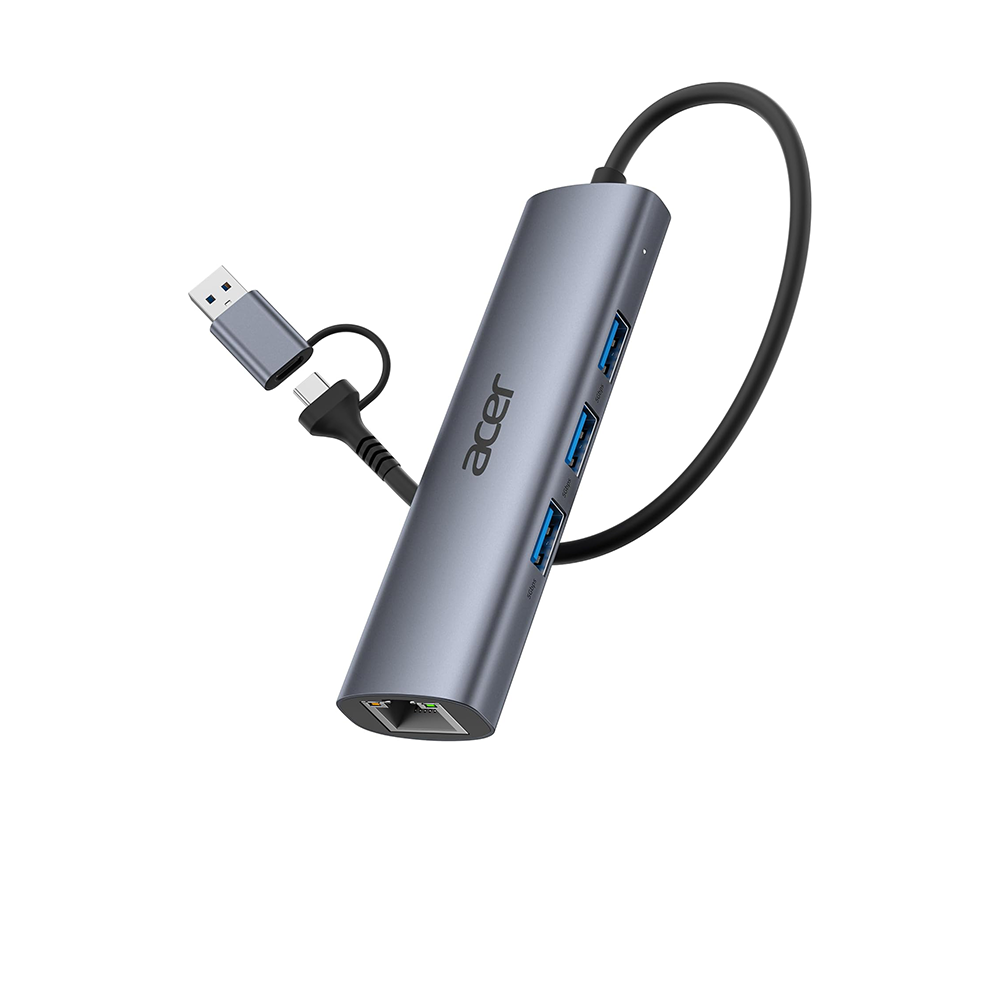
I’m giving this 3 stars—not because it’s a bad product, but because of its functionality. When I first saw it, I thought, "Excellent! It comes with four ports plus an extra USB-C." However—as the product description clearly states (which I failed to read, making my disappointment all the greater)—the USB-C port (labeled "IN 5V") cannot be used for data transfer or for charging other devices. It serves solely to supply power to the other four USB-A ports, which helps ensure more stable data transfer. Besides that, the cable is long enough that it doesn't end up dangling from my laptop while the laptop is mounted on its stand. If you’re simply looking for an adapter that provides four USB inputs, this one does a really good job; I even tested it with my iPhone 16 Pro, and it recognized it without issue. It is lightweight and of good quality. I would have given it 5 stars if the USB-C port had been more functional.
Very lightweight and the connectivity is automatic once plugged in. The cord supplies good sturdiness .
I bought a new laptop and it only had 2 USB ports and I needed a few more USB ports for things like my mouse, plugging in my phone, laptop cooling fan and charging my digital camera.I've had it for a few months now and it's durable enough for me to be plugging and unplugging things everyday and keeps on working.it's compact and light enough that if I have to take my laptop somewhere I can throw it in the laptop bag and it doesn't take up much room.It's easy to use, just plug it in and plug the cables into the USB ports, no software to download.
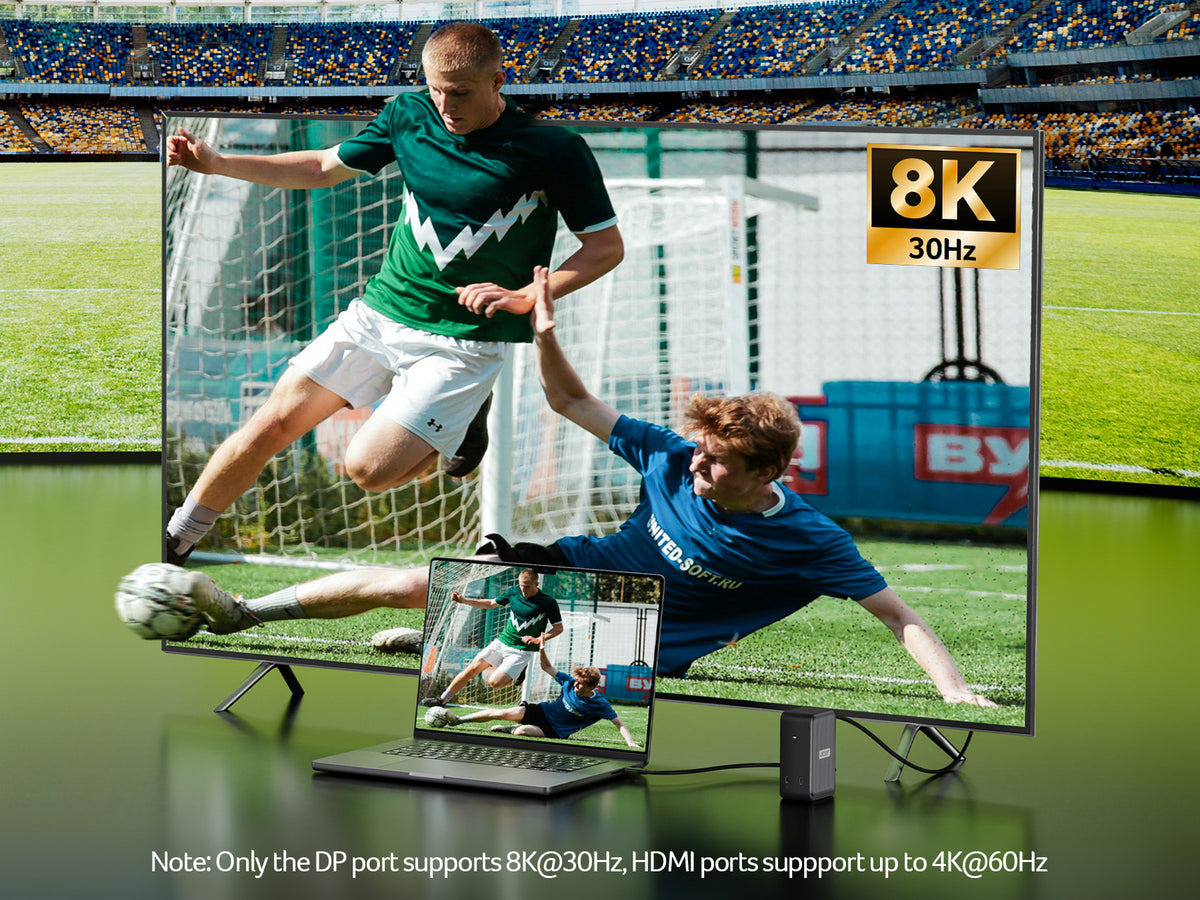
I bought it for my 4K LG Ultrawide monitor, and it has been and excellent acquisition; super easy to use and it has great speed, especially when it comes to large datasets. The materials of what it is made of are quite good, thus I am sure there is not any question about its durability. It never gets warm, and it is perfect to transport as it has a perfect size.
It’s been a mixed bag with this hub. My laptop would not recognize an external monitor through the hub’s HDMI port and had to plug the cable directly into the port on my laptop. Currently I have the following attached to the hub: a power cable for my external monitor, a cable for an external HDD that I use for backups, a printer cable, and an Ethernet cable. I friend suggested that I might have too much running through the hub and that I try disconnecting the Ethernet cable and plugging in the HDMI cable. I did but the monitor was still not recognized, so I went back to my original setup. Occasionally I loose the Ethernet connection and have to push the connector into the port. I never had that problem with this Ethernet cable when it was plugged into my desktop, so it seems to be a problem with the Ethernet port on this hub. I haven’t tried the other ports on the hub, so I don’t know if they work. I wonder if I have a defective unit or if this is a more widespread problem. I only turn on the external HHD when I do backups. With the Ethernet cable attached and 2 things powered on, the hub is noticeably warm to the touch. I wonder how hot the hub would get if I were also using the USB C and HDMI ports. In all, I’m not impressed with this hub. Update: Acer Customer Service contacted me. I didn't ask for a refund, but they made one anyway. It really wasn't a problem with the hub but a mismatch with the USB C port on my laptop. Acer's response keeps me as a loyal customer. They went above and beyond my expectations. I am changing my rating to 5 stars due to their excelent customer service.
Lightweight, versatile docking station for my Chromebook. Supports an external monitor via HDMI or VGA, has SD and microSD slots, USB-A ports, and RJ-45 Ethernet port for wired Ethernet. All works like it should, except for occasional blanking on the HDMI. At first I thought this might be a cable or monitor issue, but the symptom occurs on two different monitors and two different HDMI cables. Sometimes when it loses sync it blanks the screen for a few seconds and then comes back. Sometimes after blanking it goes into a "snow mode". Shutting down the monitor or disconnecting the HDMI input will usually (97%) restore the display after "snow mode". I have a second docking station by another vendor with very similar features and form factor, and I never have any blanking issues with it and either of the monitors or HDMI cables.If it weren't for the random blanking of the screen this gem would get 5 stars for the value of its features. I'm using it as I type this review. It gets the job done, except for about 5 to 10 seconds per hour when the screen goes blank. It may also be the case that when it "blanks" it also loses connection with storage devices plugged into the SD slot or USB-A ports. I experienced some glitches with spontaneous disconnections earlier, but so far have not performed tests to verify and isolate the cause of those disconnections.
This Hub has it all! The hub features a solid case with RJ 45 jack (ethernet), USB, HDMI, VGA, SD, Micro SD and more. The new Surface Pro 11 Snapdragon X and Elite is finicky when paired with a Type C USB hub, after two others failed to connect or did not allow it to recognize the RJ45 port, I was not hopefully with this one. However, it exceeded my expectations and works! This dock/hub provides full port usage in a nice form factor. The cable is long enough to not hang on the port but short enough to not be in the way. It was a simple plug and play and within seconds the devices recognized it, not drivers to install or software to download. Utilizing a Type C thunderbolt charging block it told me when the one being used was underpower when connecting the device, usb and HDMI while charging. This was good to know, it DOES Not come with its own power brick which would have been great to get a PD 100W or 65W charger included, but for the price of under 30 dollars this isn’t expected. Compared to the Surface Hub it works much better and there appear to be NO random disconnects for this hub, like others.I tested it for compatibility to worked with the MBP (intel), IPAD, Android Phone, M3 MacBook, Surface Book 2, One X Player 2 (Ryzen APU), Surface Pro 11 and a few others and all devices functioned as required with it. It just works, this is the one to purchase Good on Acer for this HUB.
Love the way they fit the ear especially when you wear glasses 🤓
The headphones are easy to operate, automatically connecting when powered on. The battery case can serve as a small power bank, which is quite stylish.
These headphones also feature a touch screen, which is nice. The sound quality is sufficient for regular use, and the cost-effectiveness is high. [Smile] They can even charge your phone, which my wife also loves!
They look great, sound good, and don’t hurt my ears when in use. The battery life is long, the operation is simple, and the connection is quick! I really like them!
I’m very happy with them! The battery life is long. I use them for delivering food, usually just one earbud at a time for calls and orders. I’ve used them for about 5 hours and only drained one bar of battery—[thumbs up]!
The sound is clear, and the build quality is good. It can also act as a power bank, and the display is nice.


![Acer HDMI 2.1 Cable 6.6FT, [8K@60Hz, 4K@120Hz] 48Gbps Ultra High-Speed Braided Cord Supports HDR10+/HDCP 2.2 & ARC/eARC, Certified HDMI Cable Compatible with PS5, PS4, Xbox, Monitors, Laptops, HDTV](http://acergadget-store-global.com/cdn/shop/files/81iMiQ5MpqL._SL1500.jpg?v=1780648392&width=1500)
![Acer HDMI 2.1 Cable 6.6FT, [8K@60Hz, 4K@120Hz] 48Gbps Ultra High-Speed Braided Cord Supports HDR10+/HDCP 2.2 & ARC/eARC, Certified HDMI Cable Compatible with PS5, PS4, Xbox, Monitors, Laptops, HDTV](http://acergadget-store-global.com/cdn/shop/files/71IEL2Rb9HL._SL1500.jpg?v=1780648392&width=1500)