


Acer Multi-Device Wireless Mouse | Bluetooth 5.2, OLED Screen & 4000 DPI
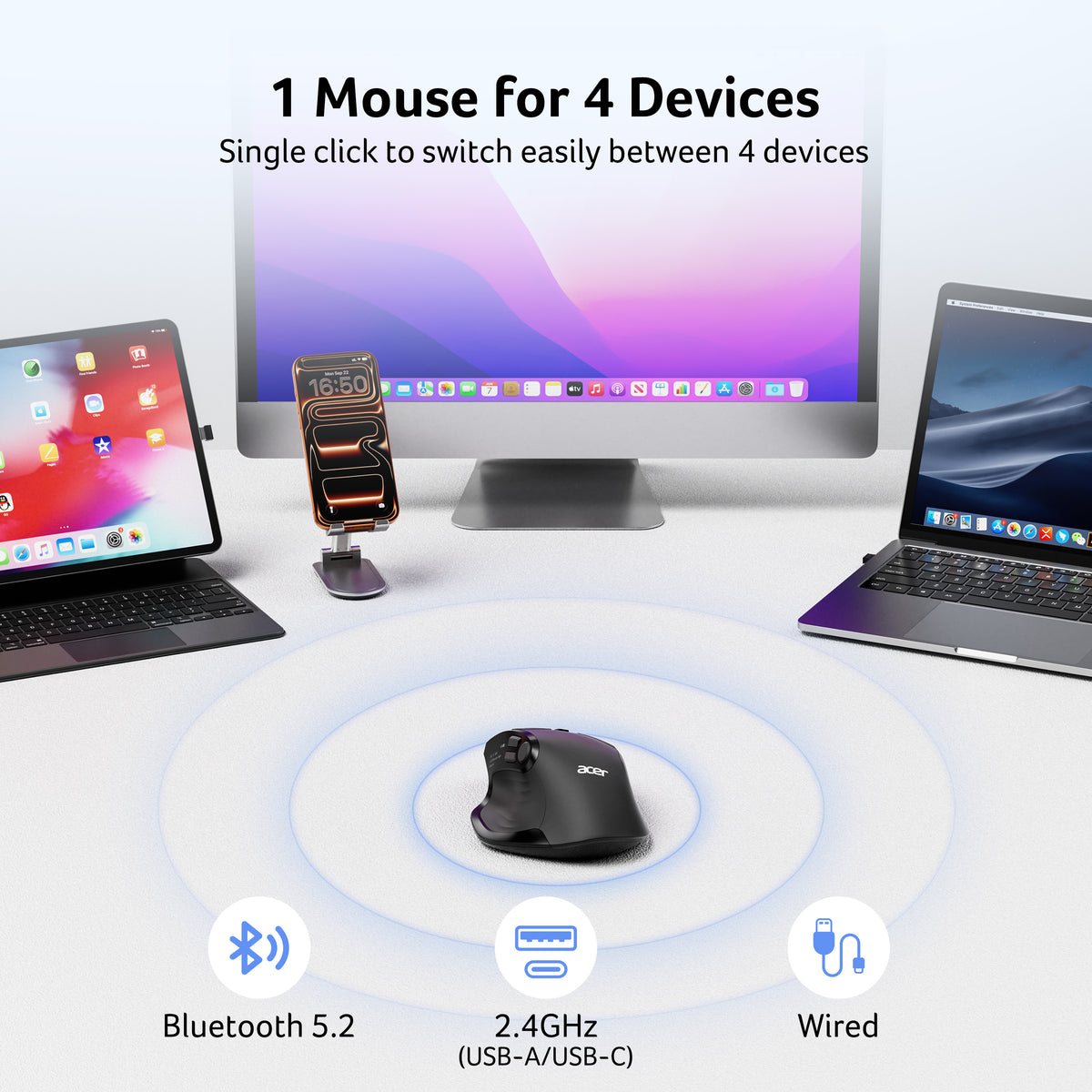
Suitable for Almost Any Scenario——Bluetooth, 2.4G USB A/C Wireless, Wired Connection
- Multi-Device Connectivity: Switch between 2.4GHz wireless, Bluetooth, and wired connections. Pair with up to 4 devices for seamless multitasking across computers, laptops, tablets, and phones. USB-A and USB-C receivers cannot be used simultaneously.
-
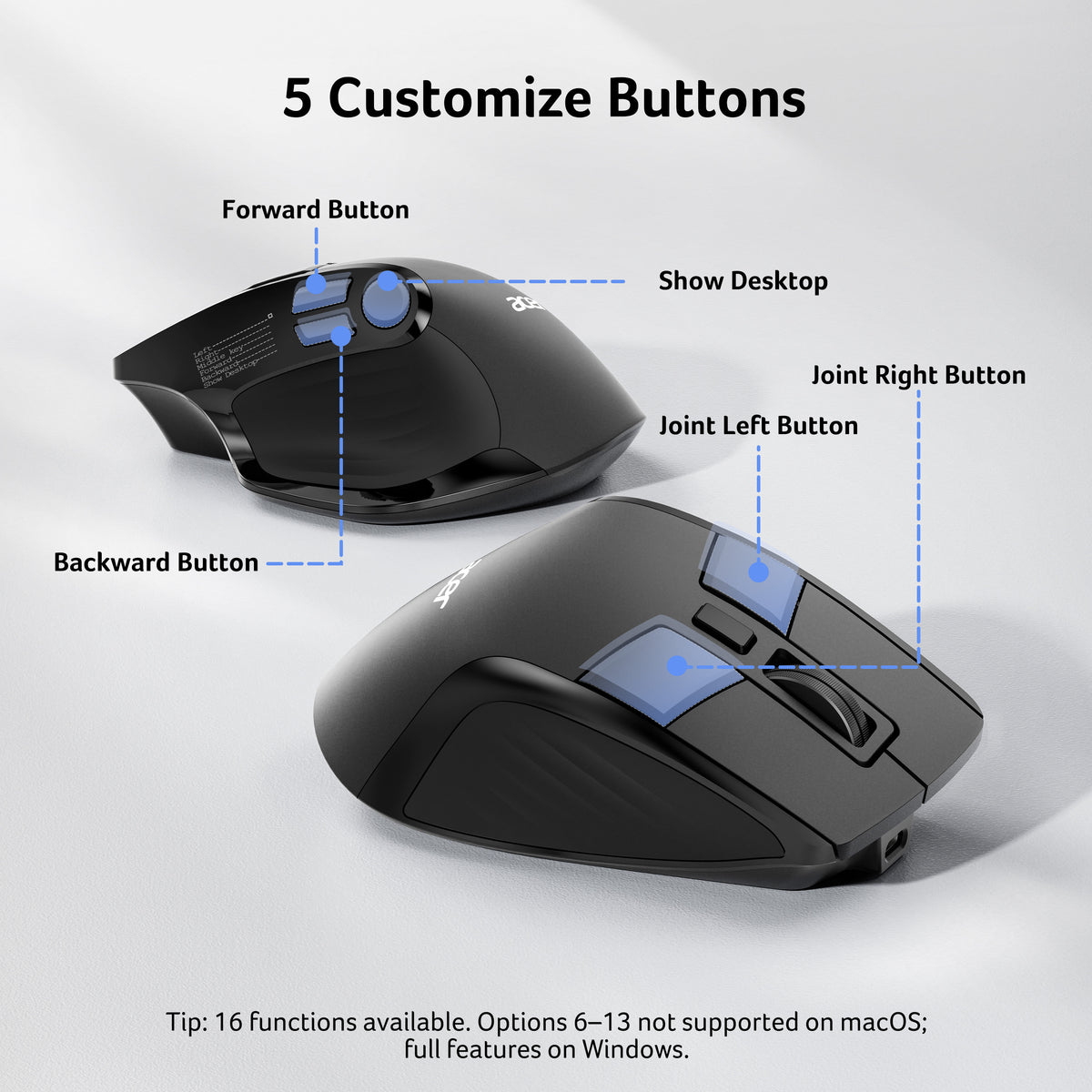
5 Programmable Buttons: Customize 5 buttons with 16 preset options without downloading drivers. Options 6–13 are not supported on macOS.
-
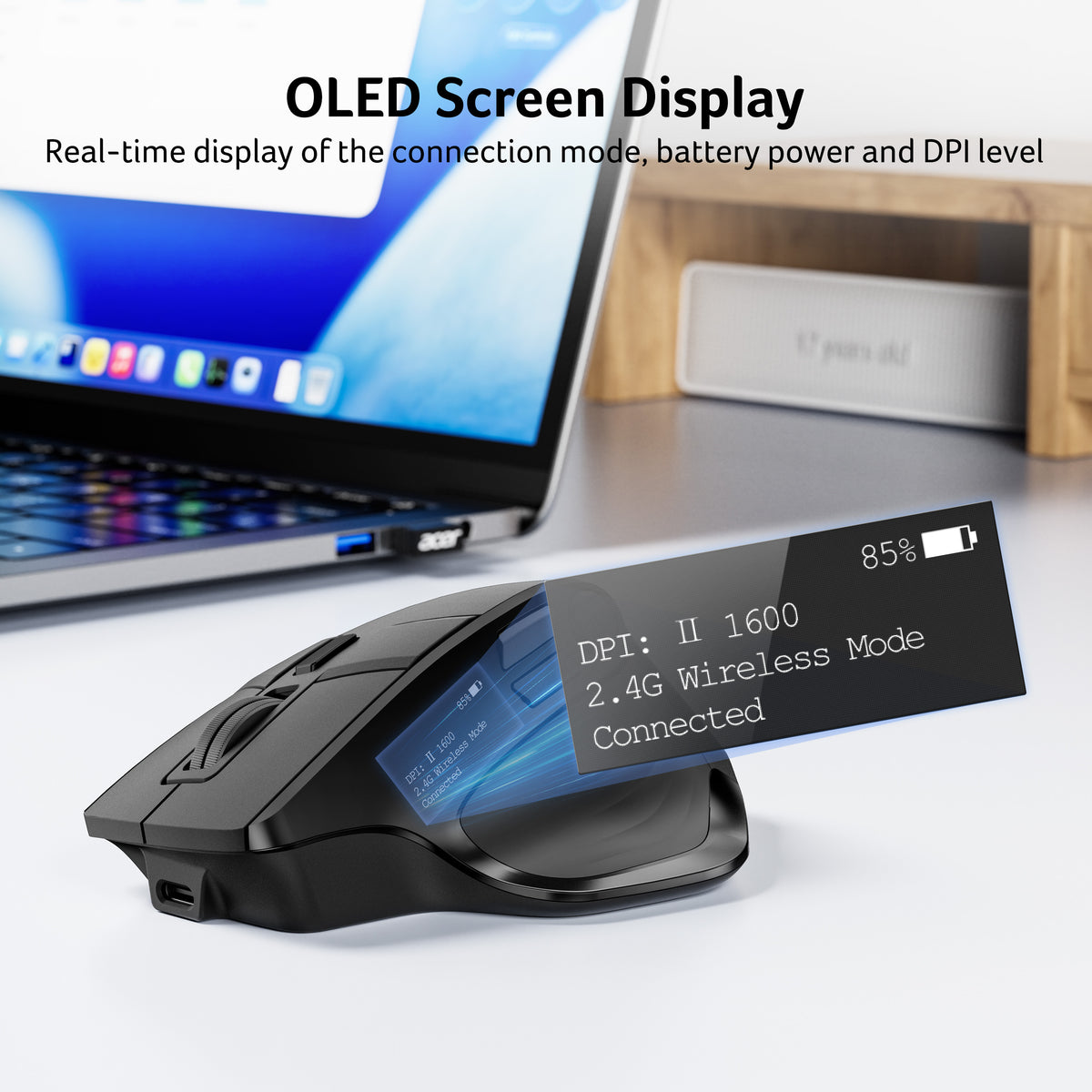
Rechargeable Battery & OLED Display: The 500mAh battery supports use while charging via USB-C. Check battery status at a glance on the built-in OLED screen.
-
Adjustable 4000 DPI: Choose from 5 DPI levels (1200/1600/2400/3200/4000) for precise control in everyday work, coding, and design.
-
Quiet Clicks: 35 dB silent-click operation helps minimize distractions in offices, libraries, and shared spaces
Compatibility & Connection
-
macOS Compatibility: Supports macOS. Programmable button options 6–13 are not available on macOS.
-
Receiver Compatibility: Includes USB-A and USB-C receivers for flexible connectivity. The two receivers cannot be used simultaneously and are stored inside the mouse when not in use.
-
3 Connection Modes: Connect via 2.4GHz wireless, Bluetooth, or USB wired mode. Pair with up to 4 devices and switch between them with ease.
Helpful Notes: The USB-A/C receiver is stored inside the mouse. The mouse enters sleep mode after 10 minutes of inactivity; move it to wake it up. Allow 1–2 weeks to adjust to the ergonomic design.
- Connectivity Technology: Bluetooth & 2.4GHz & Wired
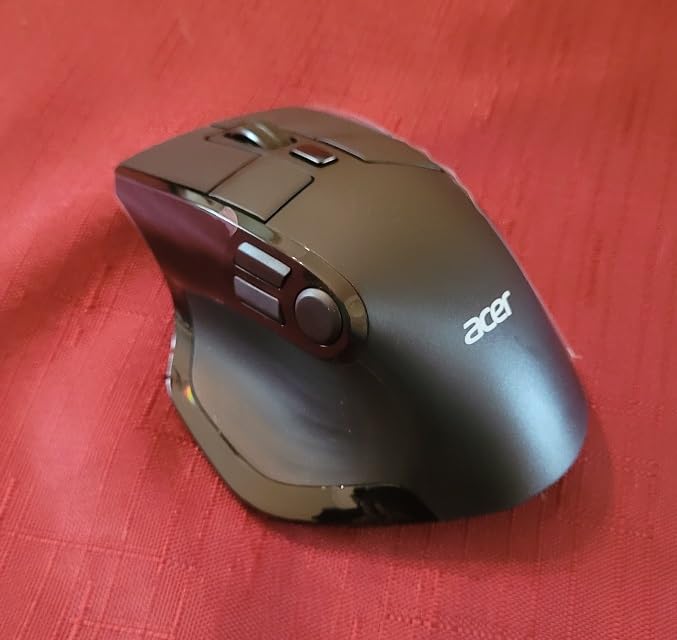
- Additional Features: 142g (5oz), Medium to Large Sized Hands, 5 Programmable Buttons 【16 Preset Options】, Bluetooth & 2.4GHz & Wired, OLED Screen, Rechargeable
- Movement Detection: Optical
- Button Quantity: 9
- Hand Orientation: Right
- Compatible Devices: Laptop, Personal Computer, Tablet
- Operating System: Chrome OS, Linux, Mac OS, Windows
- Number of Batteries: 1 Nonstandard Battery required (included)
- Power Source: Rechargeable
- Mouse Maximum Sensitivity: 4000 dots per inch
- Minimum Required Operating System Version: ChromeOS 137, Mac OS 13 Ventura, Ubuntu 22.04 Jammy Jellyfish, Windows 11
- Item Weight: 7.4 ounces
- Unit Count: 1 Count


FAQ
Why is my wireless mouse not working?
1. Ensure the mouse is fully charged. 2. Make sure the power switch at the bottom of the mouse is turned on. 3. Ensure the USB receiver is properly connected to your computer. 4. Keep the mouse within 10 meters of your computer for optimal performance.
Why does my wireless mouse occasionally disconnect?
1. Low battery power. 2. The mouse is too far from the computer. 3. There is significant wireless interference around, leading to an unstable signal.
Can this mouse be connected via Bluetooth?
Yes, you can connect with "OMR 289 Mouse BT" via Bluetooth
How many programmable options does this mouse have?
It has 16 preset options: 1. Left; 2. Right; 3. Middle key; 4. Forward; 5. Backward; 6. Show Desktop; 7. Switch window; 8. Lock PC; 9. Calculator; 10. Explorer; 11. Cut; 12. Copy; 13. Paste; 14. Volume up; 15. Volume down; 16. Play/pause.
NOTE:Options 6-13 are not supported on macOS.
How to reset the mouse buttons to factory settings?
Press the left, middle and right buttons at the same time for 3 seconds to clear the customization and reset the default button function.
Can the USB-A and USB-C receivers of the mouse be used at the same time?
No, it only supports connection with one receiver. When switching, make sure the other receiver is unplugged from the device to avoid interference.